Printable wedding seating chart: 2 free templates, and the 4 documents Tablee makes
Two free blank templates in PDF (seating chart, caterer sheet), plus the four wedding documents made automatically: sizes, timeline, print-shop tips.
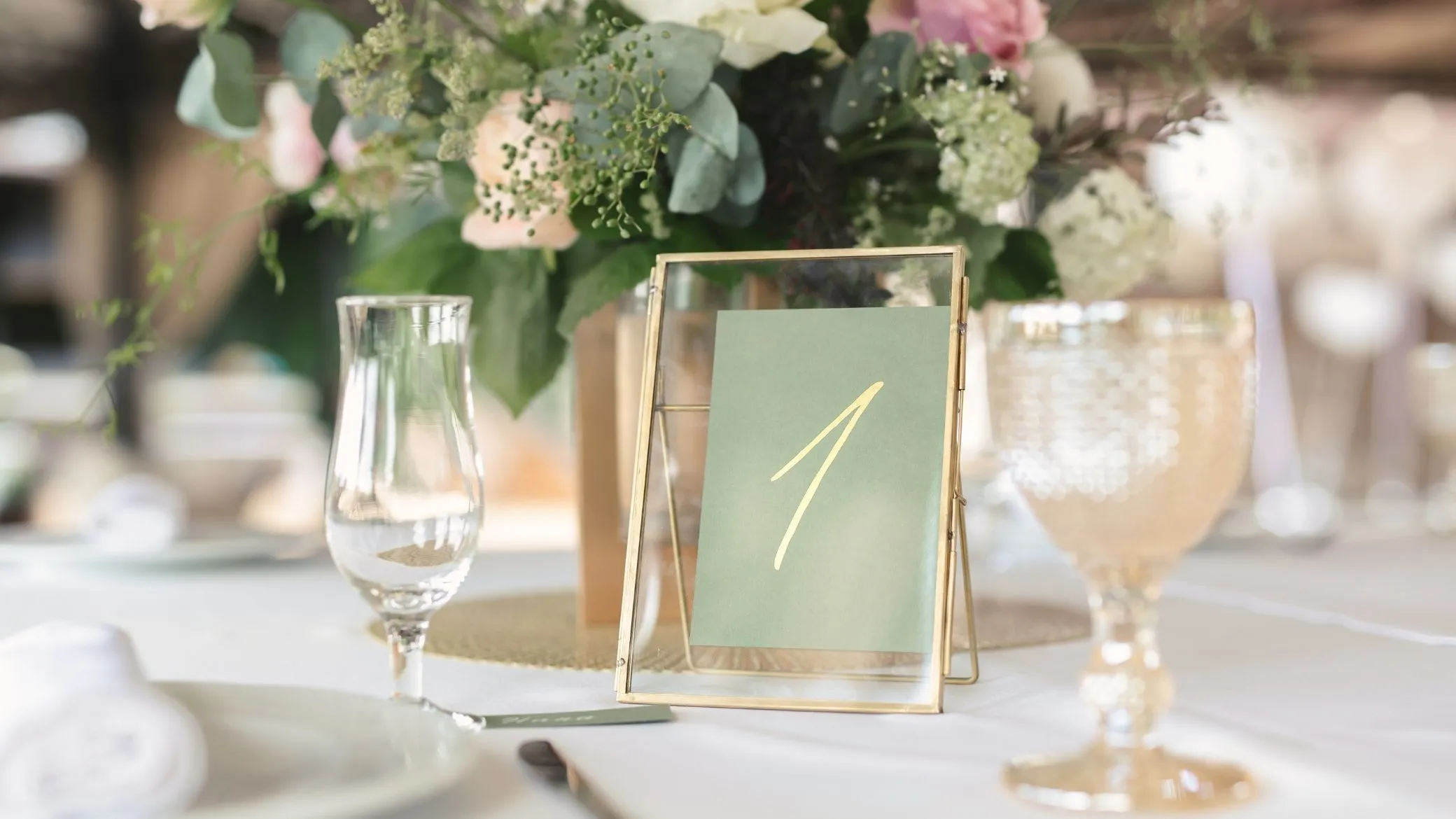
Here are two blank templates to print, free, with no account and no email address: a seating chart on tabloid paper and a sheet for your caterer on letter paper. One thing changes how you print: “the seating chart” is really four documents, for four different readers, and the two we do not offer as blank templates are the ones nobody wants to fill in by hand. Tablee, our product, makes all four on its own.
Two blank templates to download
Both files are PDFs, in navy ink on white, with large boxes and very little ink. They are made for a pencil, because a seating chart always gets erased.
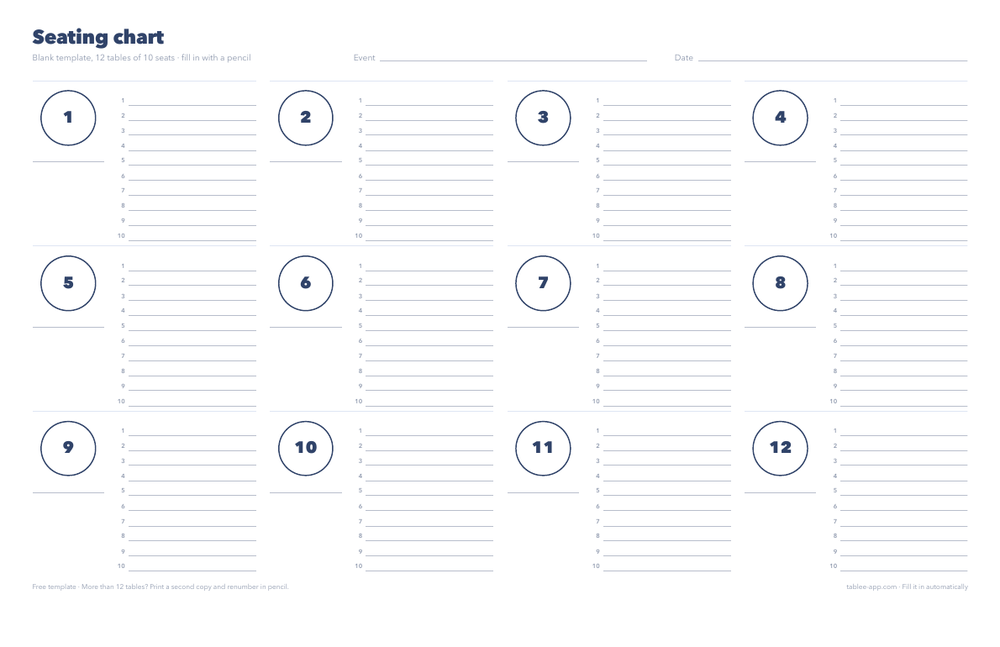
Blank seating chart
Tabloid (11 × 17 in), landscape · 1 page · PDF
Twelve numbered round tables with ten seats each to fill in, and a line to name the table. For more than twelve tables, print a second copy and renumber in pencil. It scales to A3.
Download the seating chart (PDF)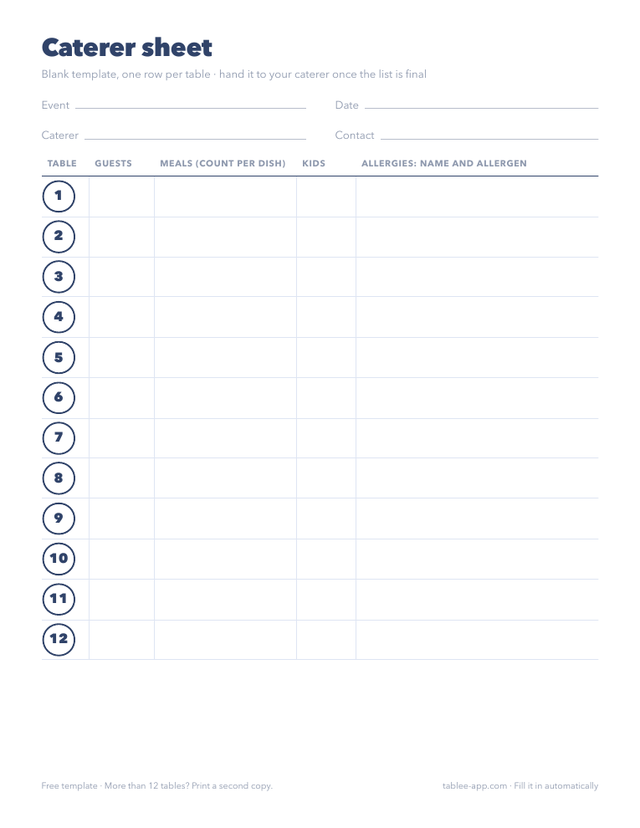
Blank caterer sheet
Letter (8.5 × 11 in), portrait · 2 pages · PDF
One row per table: guests, meals, kids, allergies. The second page lists the 14 allergens to flag and leaves room for notes. It scales to A4.
Download the caterer sheet (PDF)The seating chart is the template almost every couple looks for. The caterer sheet is the one people forget, and the one the caterer asks for at the last minute. That leaves two: the guest list and the entrance poster. You do not make those by hand, and that is the next section.
The four wedding documents, made for you by Tablee
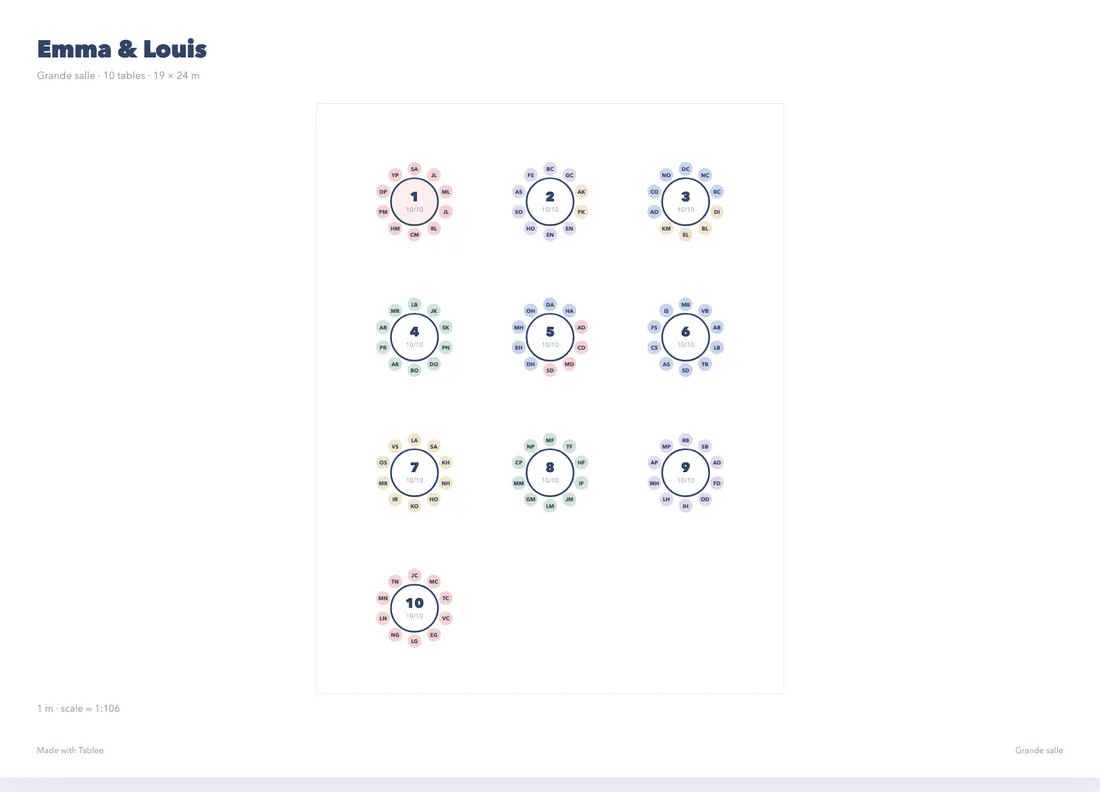
You just downloaded two templates. In Tablee, all four are automatic, and each is filled from the same chart: you never type a name twice. These are the real documents, produced by the app from a sample wedding of 100 guests (the names are fictional).
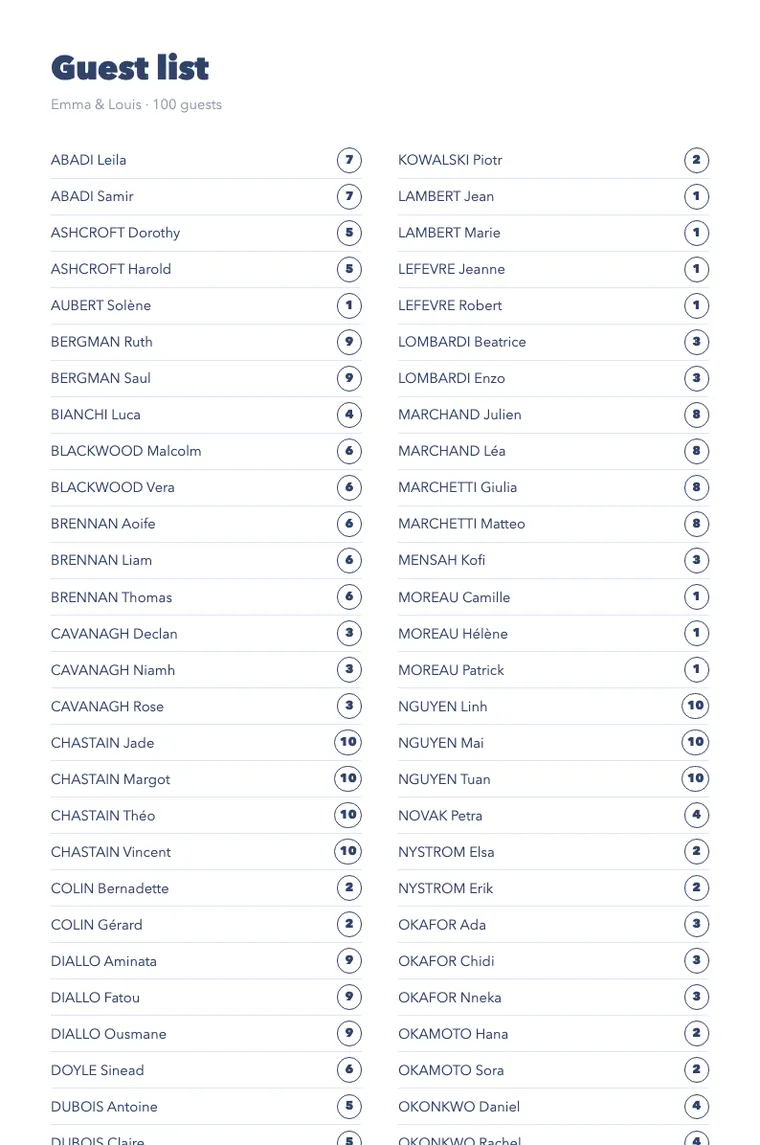
Guest list
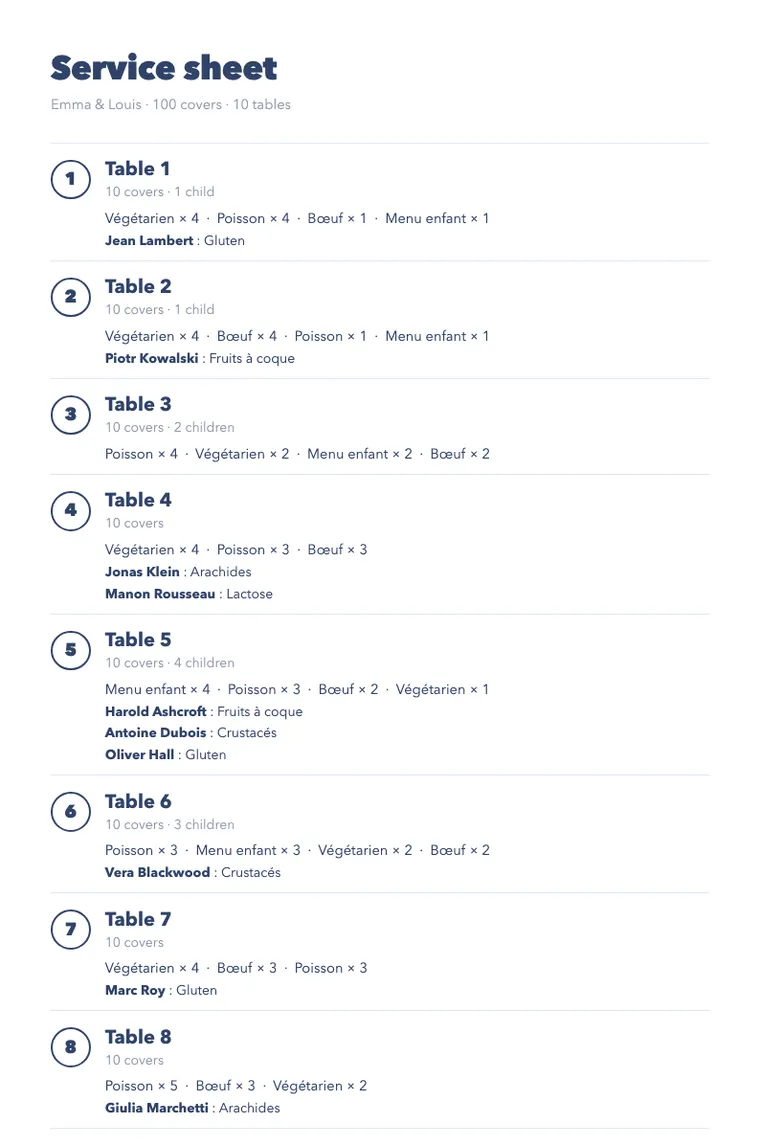
Caterer sheet
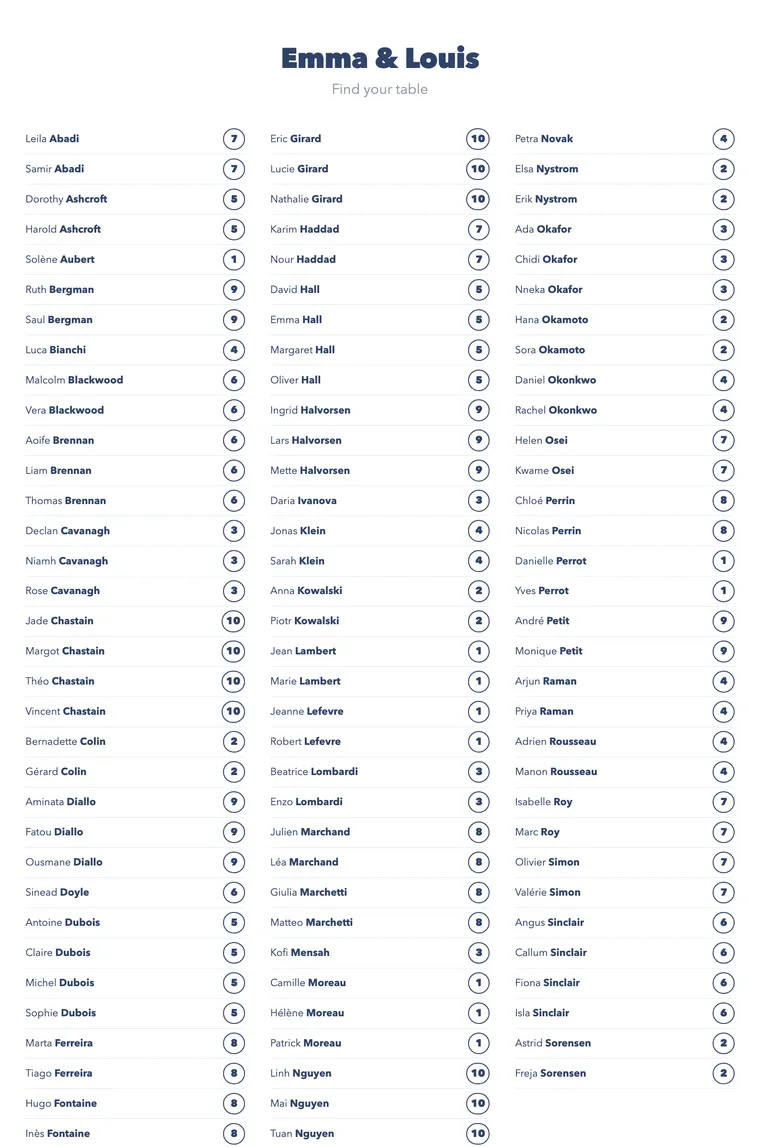
Entrance poster
What is automatic, document by document:
- The floor plan: tables at scale, guests in their seats, one sheet per table.
- The guest list: sorted by itself, with each guest’s table number, including after a cancellation.
- The caterer sheet: guests, meals and allergens counted for each table, with no adding up on your side.
- The entrance poster: names and table numbers carried over from the chart, with no retyping.
The path takes five steps. You paste your guest list (from Excel, a CSV, a PDF or plain text), set your rules (who sits with whom, who stays apart), build the chart, open the Documents tab, then choose “Print / Save as PDF”. To build the chart itself, see the full method for making a seating chart.
Prices, plainly. It is free for one event up to 5 tables: the documents carry a “Made with Tablee” line at the bottom. 9.99 € once removes the line and goes up to 200 tables, for that event.
One limit, to be upfront: Tablee has a single graphic style. You cannot restyle the layout the way you would in Word or Canva. If you want a decorative sign made to measure, print Tablee’s chart for yourselves and make the big sign separately.
Create my free account Sign in
You can also start on the home page, where you can build your seating chart online and watch the demo.
You do not print a seating chart, you print four
Pages about “a printable seating chart” suggest that one document is enough. In reality, the caterer does not read the poster, guests do not read the service sheet, and the floor plan is for the room. Printing a single document for everyone means missing three.
| Document | For whom | Size | When to print | Copies |
|---|---|---|---|---|
| Floor plan | You, the caterer, the venue | Tabloid or A3, landscape | Ten days before | Two or three |
| Guest list | Guests, at the entrance | Letter or A4 | In the last few days | One or two |
| Entrance poster | Guests | A2 or 18 × 24 in | In the last few days | One, plus a spare |
| Caterer sheet | The caterer and their team | Letter or A4 | Once the list is final | One for them, one for you |
These are guideposts, not rules: your venue or caterer may ask for something else, and they are the ones to ask.
The floor plan: for the room and the caterer
It shows where each table is and who sits there. It is the reference for the service team, the DJ and the friend in charge of surprises. It is read up close, so tabloid or A3 is enough.
The guest list: for the entrance
A guest looks for their name, not for a table number. The alphabetical list answers that one question, and at a small wedding it replaces the poster.
The poster: for the guests
It is read standing up, in a group, in a few seconds: large letters, little text, and a size you can read from a distance. It is the only document that needs a large format.
The caterer sheet: for the kitchen
It is sorted by table, because service happens one table at a time. Prepare it before the rest, because the caterer asks for it first.
Which size: letter, tabloid, A4, A3 or A2
| Use | Size | Up to how many guests | What to know |
|---|---|---|---|
| Lists and caterer sheet | Letter (8.5 × 11 in) or A4 (8.3 × 11.7 in) | Any size | Prints at home |
| Floor plan, or a posted list | Tabloid (11 × 17 in) or A3 (11.7 × 16.5 in) | About 50 guests per readable page | Needs a printer that takes large paper, or a shop |
| Entrance poster | A2 (16.5 × 23.4 in), or a standard 18 × 24 in poster | A hundred guests and more | Printed at a print shop, on heavy paper |
Print shops suggest the same rule of thumb: a large poster for the entrance, tabloid or A3 for a list of under fifty guests, letter or A4 for the rest. A home printer almost never goes beyond tabloid, so the large format is ordered.
Tablee’s PDFs use A sizes (A4, A3, A2). In the US, print them with “fit to page” on letter or tabloid, or take the A2 poster to a shop that prints on 18 × 24 in.
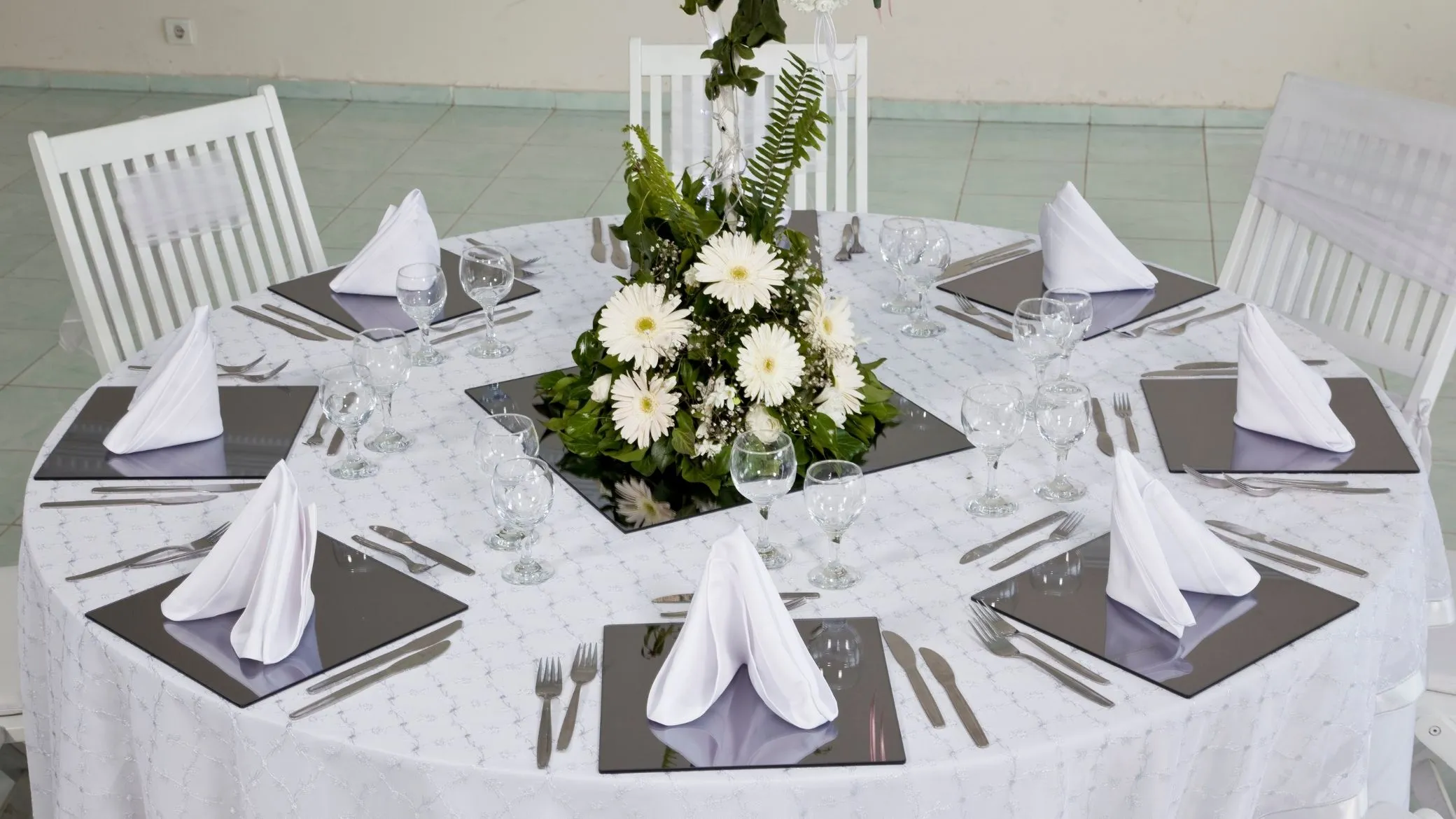
Where to print, and on what
A copy shop or an online printer can do tabloid and A2 in a few days. For the material, three common choices: thick matte paper (the simplest), a rigid board if the poster must stand up, and lamination, which is best avoided because it reflects light. Ask the print shop for a quote: a quote beats an average.
Getting the file ready
Send a PDF, not a photo: a vector PDF stays sharp at any size. Keep a safety margin around the text, because machines sometimes trim a few millimeters, and order a test print on letter or A4 before the full run: that is where you catch a typo in a name.
When to print: the last month
The real marker is the final headcount date your caterer asks for. Around it:
- About three weeks before: a complete first draft of the chart, which you do not commit to yet.
- At the caterer’s final headcount: the list is frozen, and the caterer sheet goes out.
- About ten days before: print the floor plan and the poster, adding the print shop’s turnaround.
- The last week: the guest list, and touch-ups case by case.
The deciding argument is to print by pieces. Tablee’s floor plan comes with one sheet per table: after a cancellation, you reprint a page, not the whole chart. For the rest of the timeline (draft chart, final chart, the cancellation three days out), see the full method for making a seating chart.
Filling in by hand or in a spreadsheet: where the pencil stops
A blank template is a good start for a small wedding. But it does only three things: it gives you a frame, it erases, and it checks nothing. Its limits are easy to see:
- No rule is checked. Nothing warns you that you just seated side by side two people you meant to separate.
- Nothing recalculates. A cancellation means redoing the tables by hand, and recounting the caterer’s headcount.
- A name written twice goes unnoticed. At a hundred guests, you notice on the day.
- A popular Excel template stops at 14 tables, by its own notes, and cut-and-paste overwrites a name.
Excel and Word keep their place for the guest list: four lines are enough here, and the comparison of seating chart makers goes deeper. Under five tables and with nobody to keep apart, a blank template and a pencil are plenty.
The caterer sheet: what to hand over
The caterer does not need your floor plan. They need, table by table, the number of guests, the dishes chosen, the kids’ meals and the allergies. That is why the sheet is sorted by table number, not alphabetically: in the room, service goes one table at a time.
Hand it over as soon as the list is final, with the headcount date the caterer gave you. A severe allergy is settled in person, and the sheet is only the written record. The blank template is at the top of this page, free. For the final headcount, the allergen lists (EU and US), the cocktail hour and the questions to ask before you sign, see what to give your wedding caterer, and when.
The checklist before you send it to the printer
- The spelling of every name, read by someone other than you.
- One table number per page, readable from afar.
- The orientation: landscape for the floor plan, portrait for the lists.
- A safety margin around the text.
- A test print on letter or A4 before the large run.
- A digital copy, on your phone and with a relative, just in case.
- The quantity, with a spare copy of the poster.
- The print shop’s turnaround, which adds to your timeline.
If you made the chart in Tablee, everything is in the Documents tab, as PDFs, to read one last time before you send it.