Online, on iPhone and on iPad
The wedding seating chart maker that holds up when someone cancels
You enter your guests and your rules. Tablee builds the plan, shows you every trade-off it had to make, and when someone drops out ten days before, it rebuilds by moving as few people as possible.
iPhone and iPad · No account · Works offline · Also in your browser
- iPhone app: no account, no server
- Everything runs on your device
- Synced through your private iCloud
- No ads, no trackers
The real problem
Any tool can place your guests. The test is what happens when one drops out.
Seating a hundred guests means holding a hundred constraints in your head at once: the families you keep apart, the uncle you move away, the children you group together, the colleagues who have not met anyone. Plenty of tools help you arrange them, and a few will fill the empty seats for you.
Then someone cancels ten days before. You remove the name, and the balance you spent three evenings building is gone. Tablee recalculates by moving as few people as possible, and anything you placed by hand stays exactly where you put it.
What actually changes
A seating engine that explains its choices and never takes back the control you took from it.
-
A cancellation does not start you over
Remove a guest, run it again. The seats you already have act as anchors, so the plan rebuilds around them instead of from scratch.
-
It shows you what it gave up
When two rules contradict each other you get a score out of 100 and the list of trade-offs, each with its reason ("table 5 was full") and a link to the table involved.
-
Weighted rules, not just auto-fill
Every rule carries a weight: if possible, important, or essential. Mark one strict and it is never broken, whatever else has to move.
-
What you pin stays pinned
Drag someone to another chair, pin them, run the seating again. No re-optimization will ever undo your choice.
-
Seat level, not table level
Every guest gets a specific chair. An empty place between two people stays empty, and the printed seat numbers match what you see on screen.
-
Nothing leaves your device
No account, no server. Seating, editing and exporting all run on your iPhone, offline. iCloud sync is private and encrypted.
Three steps and the plan exists
As long as it takes to paste your list and state your rules, you have a full seating chart.
-
Add your guests
One paste from your spreadsheet is enough. Columns (name, household, meal, allergens, reply) are recognized automatically.
-
State your rules
Together, apart, side by side. Give each rule a weight, or mark it strict so it can never be broken.
-
Run the seating
A score out of 100, the list of trade-offs, and every guest on a specific chair.
The app, screen by screen
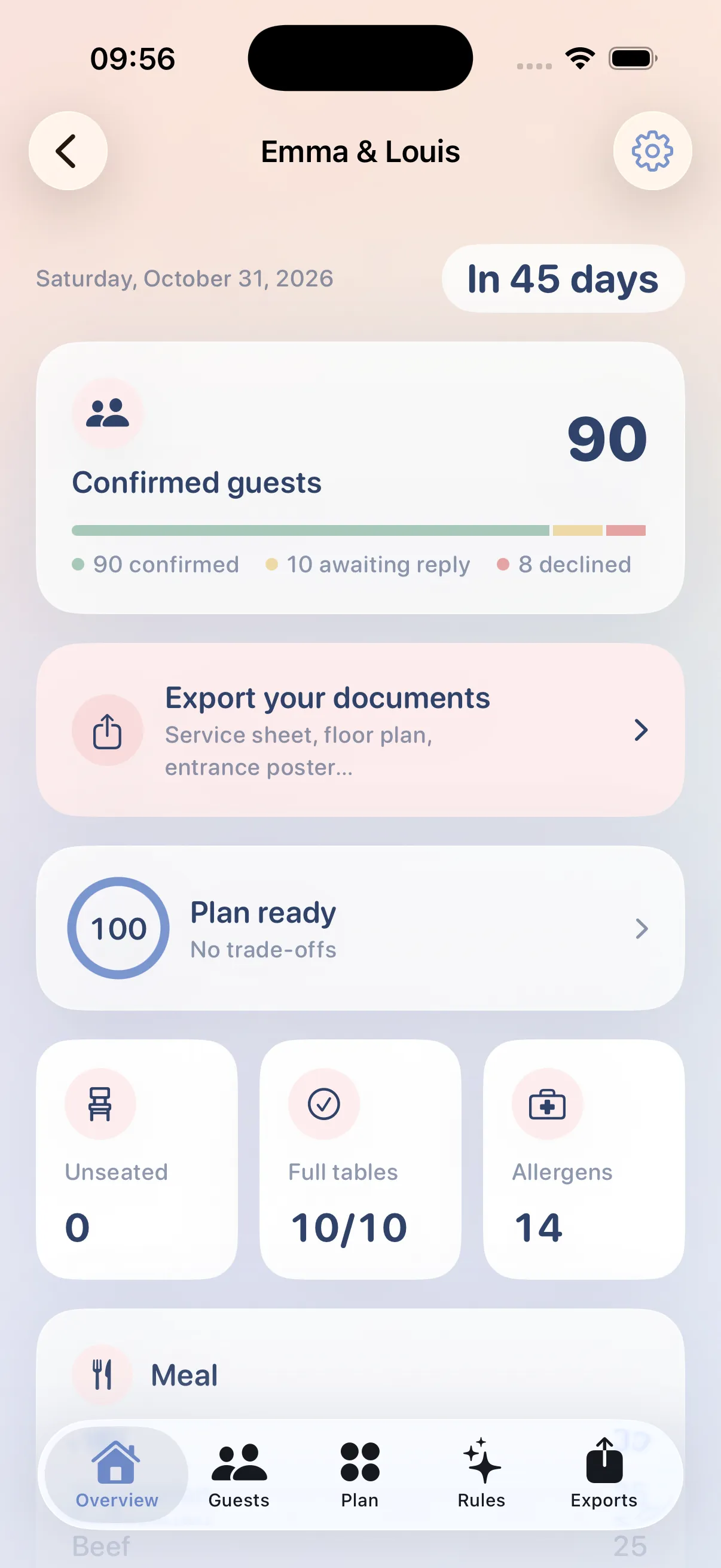
A 108-guest wedding across 10 tables, solved at 100/100.
-
Overview: where your event stands
-
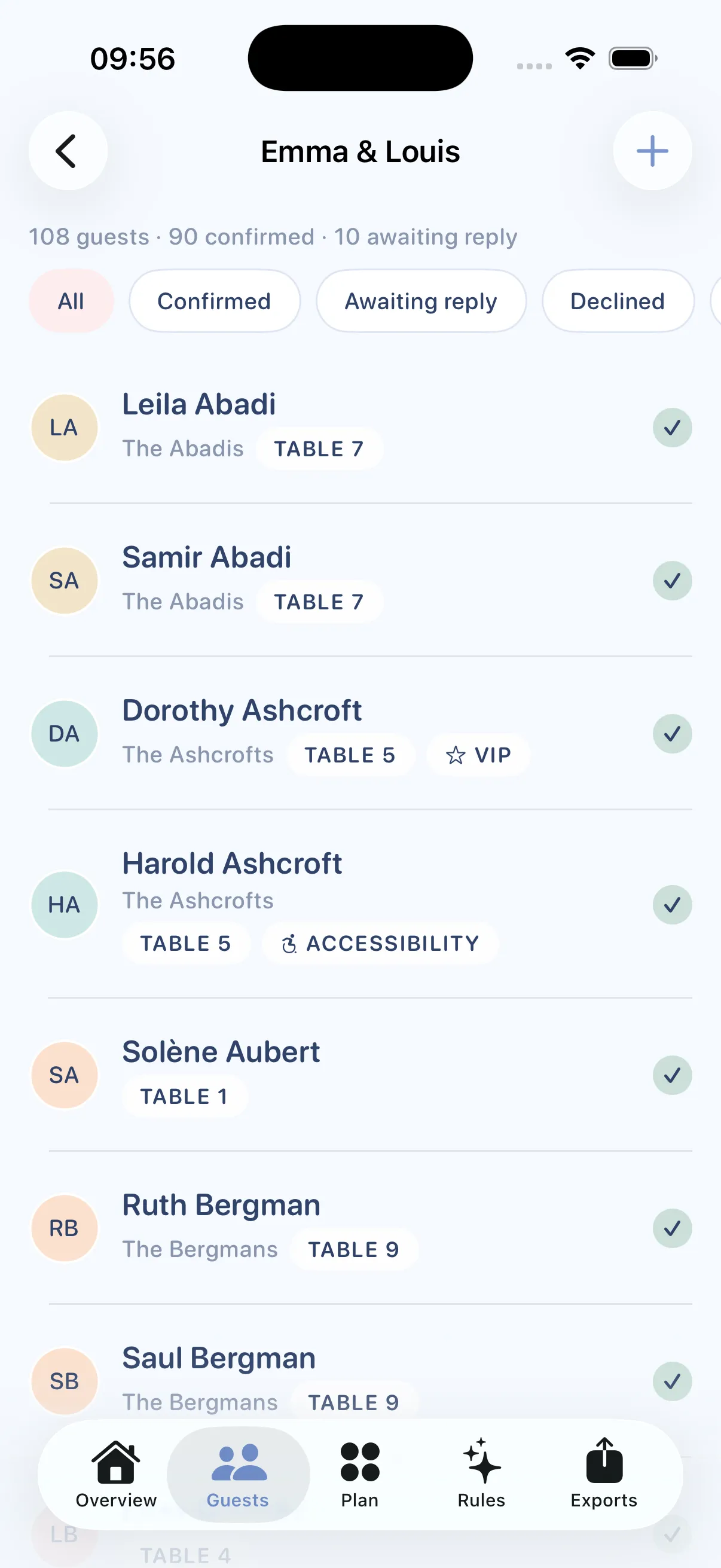
Guests: households, meals, allergens
-
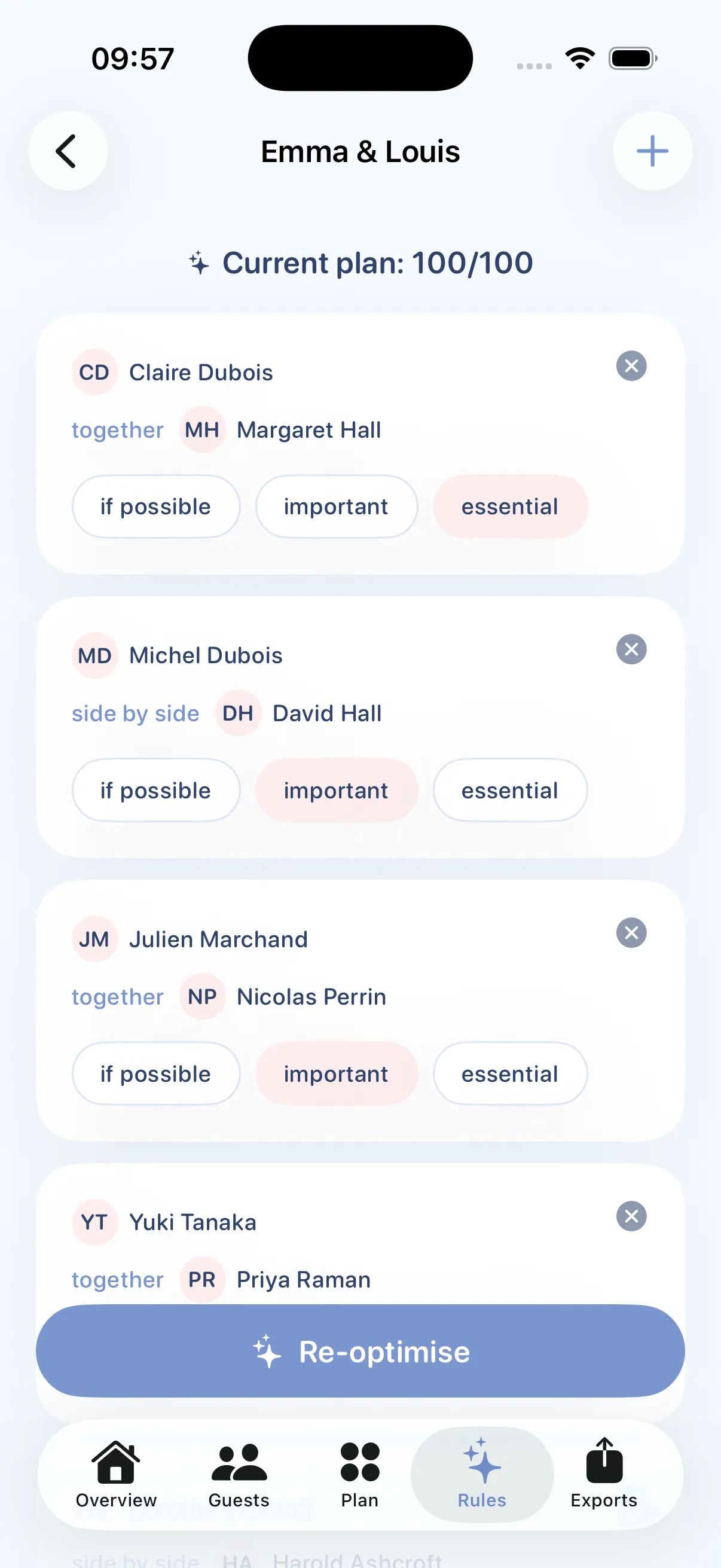
Rules: together, apart, side by side
-
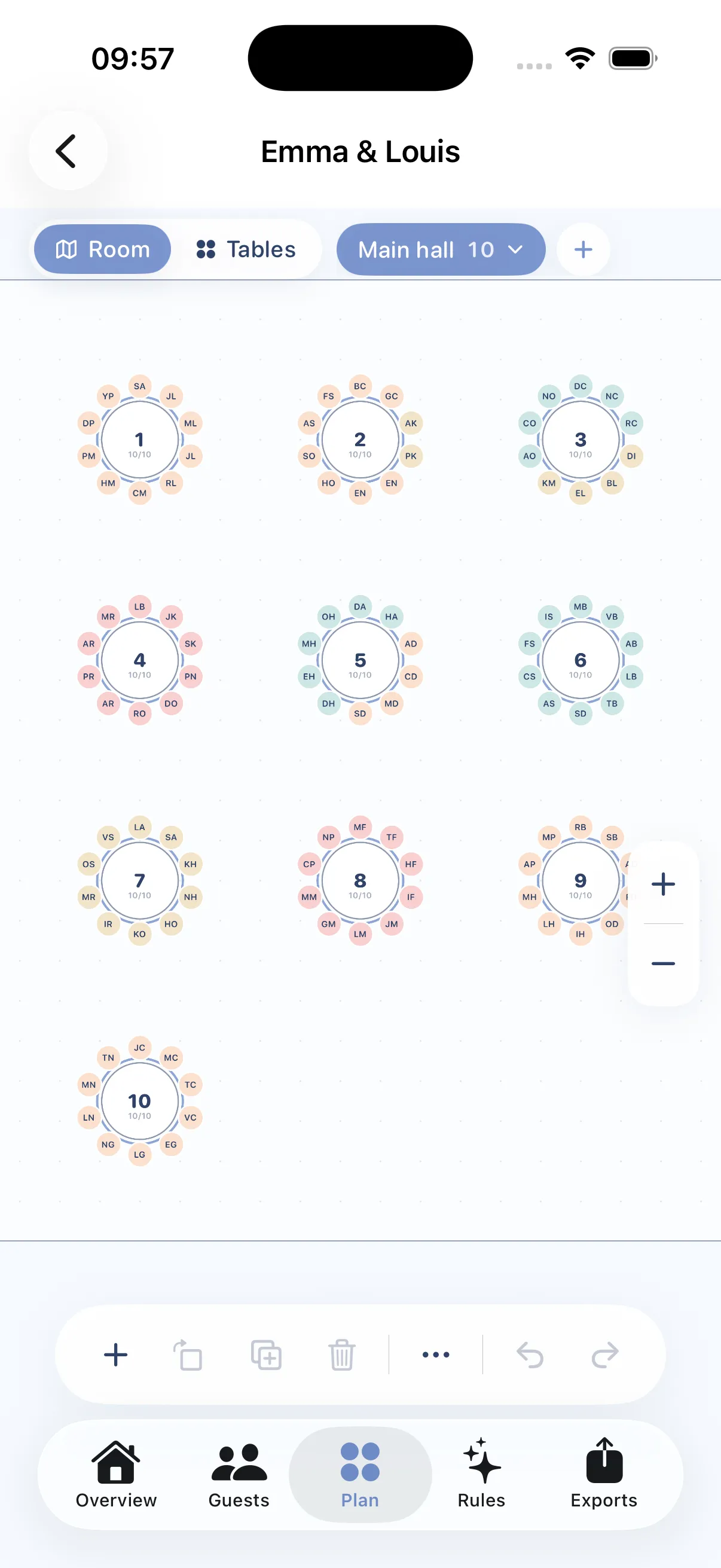
Room: the plan to scale
-
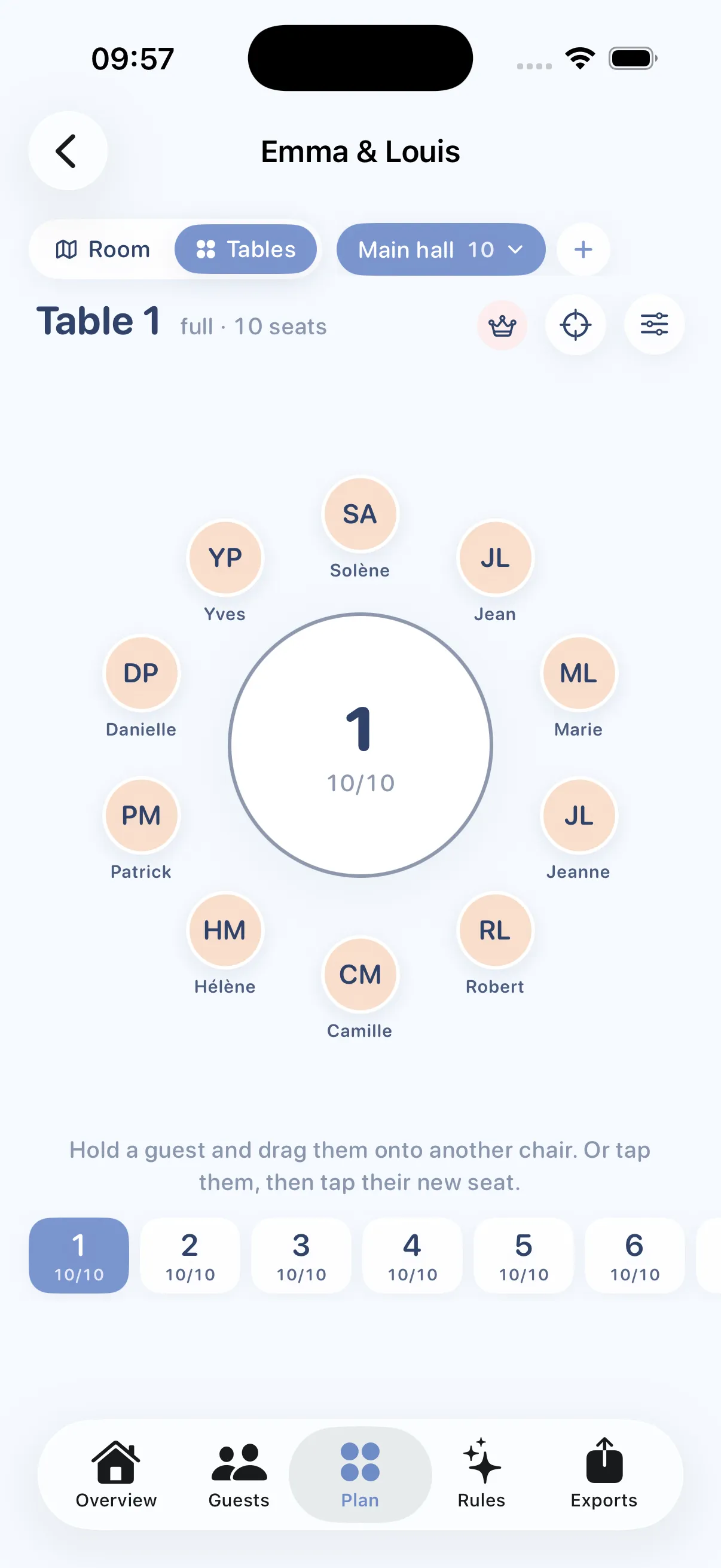
Tables: one name per chair
-
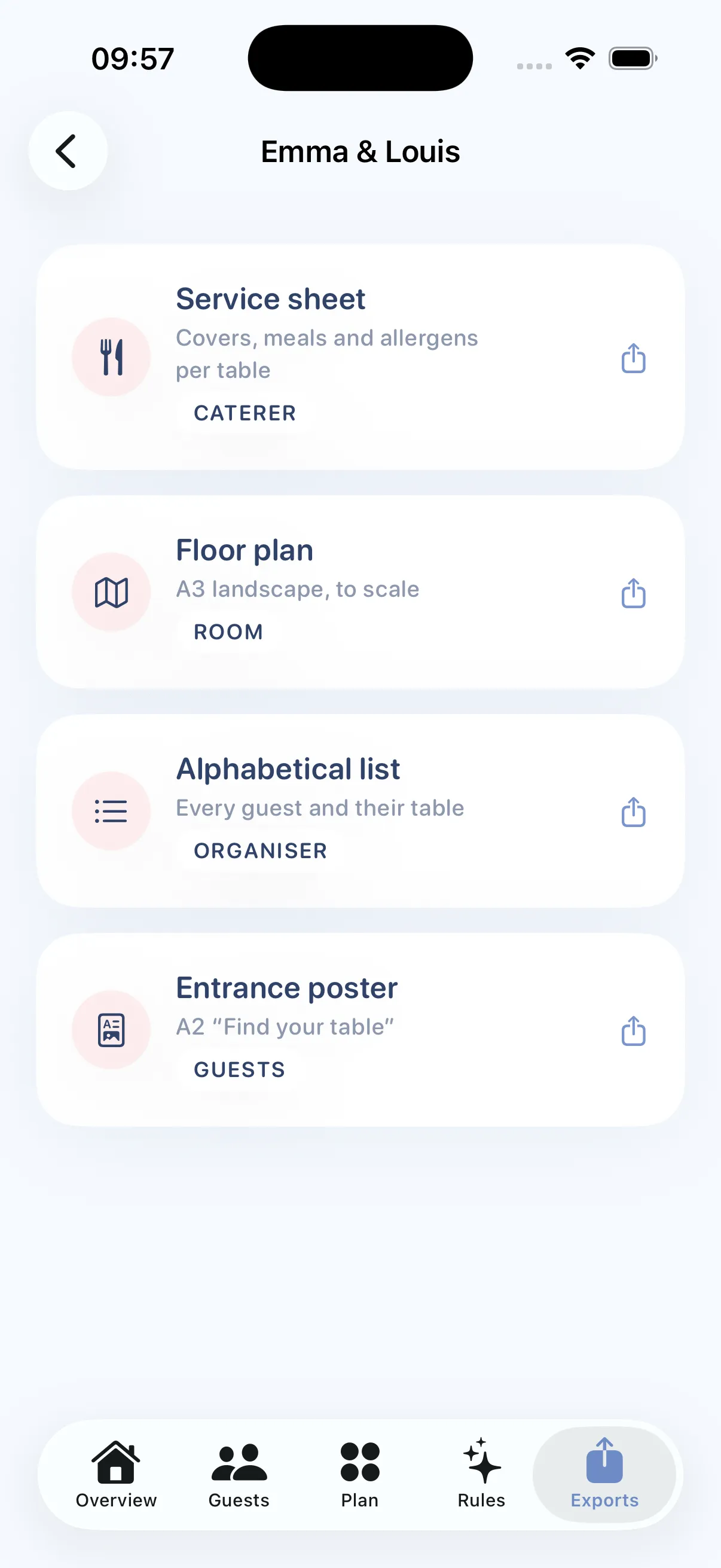
Exports: the day-of documents
The four documents for the day
Generated as PDFs, ready to email to the caterer or hand to the print shop.
-
Caterer service sheet
Covers, meals and allergens counted table by table. Exactly what the chef asks for three days out.
-
Scaled room plan
To scale, landscape, followed by one page per table for the team setting up.
-
Alphabetical list
Every guest and their table, to find someone in three seconds.
-
Entrance poster
"Find your table", to stand at the door so nobody has to search.
Our guides
In-depth articles on seating your guests, written from what the app actually does.
One wedding, one payment
No subscription forced on a one-off event. Two ways to use Tablee, two separate purchases, and the price shown before you type a single name.
In your browser, with the web app
Nothing to install. A free account, and your plans follow you from one computer to another. You only pay if the event goes beyond five tables, or if you run several.
-
Free trial
0 €
The full editor and the full seating engine, with no time limit, with a free account.
- One event, up to 5 tables
- Every seating feature
- Exports carry a watermark
-
For a wedding
This event
9.99 € one-time
Unlocks your event in the web app: one seating chart. No subscription, no renewal.
- One event, up to 200 tables
- All four PDF exports, watermark-free
- Plan saved to your account, on every computer
- A backup file to keep
-
Tablee Pro
84.99 € a year
To run several events in the web app: caterers, venues, wedding planners.
- Unlimited events and tables
- Watermark-free exports everywhere
- Cancel anytime from your account
In the iPhone and iPad app
The same app, bought on the App Store. It works offline and syncs through your private iCloud.
-
Free
$0
The complete app, downloaded from the App Store.
- Up to 5 tables
- Every seating feature
- Exports carry a watermark
-
This event
$8.99 in-app purchase
Unlocks one event inside the app, across your Apple devices.
- Up to 200 tables
- Watermark-free exports
- Follows your devices via iCloud
-
Tablee Pro
$79.99 per year
For caterers, venues and wedding planners running one event after another.
- Unlimited events and tables
- Watermark-free exports everywhere
- Cancel any time
The two purchases are independent. A payment in the web app unlocks your event in the web app and nowhere else; an in-app purchase unlocks the iPhone app only. We are working on connecting them, it is not the case yet.
Web app prices are in euros, tax included, and the sale is concluded with Creem, our official reseller, which collects payment and issues the invoice. In the app, in-app purchases are sold by Apple, prices vary by country and the figure shown by the App Store is the one that applies; the Pro subscription is cancelled in your Apple account settings.
Privacy
Your guest list never leaves your device
No account, no sign-up, no server. Seating, editing and exporting all run on your iPhone or iPad, with no connection needed.
If you use iCloud, your events sync between your own devices, in your private space and encrypted, allergens and mobility notes included. We cannot read any of it. No ads, no trackers.
The web app, for its part, saves your plans to your account, in Europe, to give them back to you on any computer. Nothing there is sold or exploited, and everything can be deleted from the app.
Frequently asked questions
What people ask us most before getting started.
Is there a free app that can create a wedding seating chart?
How can I create my own seating chart for my wedding?
What is the easiest way to make a wedding seating chart?
Who makes wedding seating charts?
Does Tablee work on Android or in a browser?
Does buying in the web app also unlock the iPhone app?
Can I print the seating chart?
Start your seating chart tonight
Free up to 5 tables, no commitment. You will see the price before you enter the first guest.
Download on the App Store