Tablee

Web app · Free up to 5 tables

Seat your guests in minutes, not three evenings

Paste your list, say who must sit together and who must not: Tablee builds the seating chart, explains every trade-off and prepares your wedding-day documents. In your browser, on Mac or PC.
  • No credit card
  • Saved to your account
  • €9.99 once, if the wedding goes beyond 5 tables
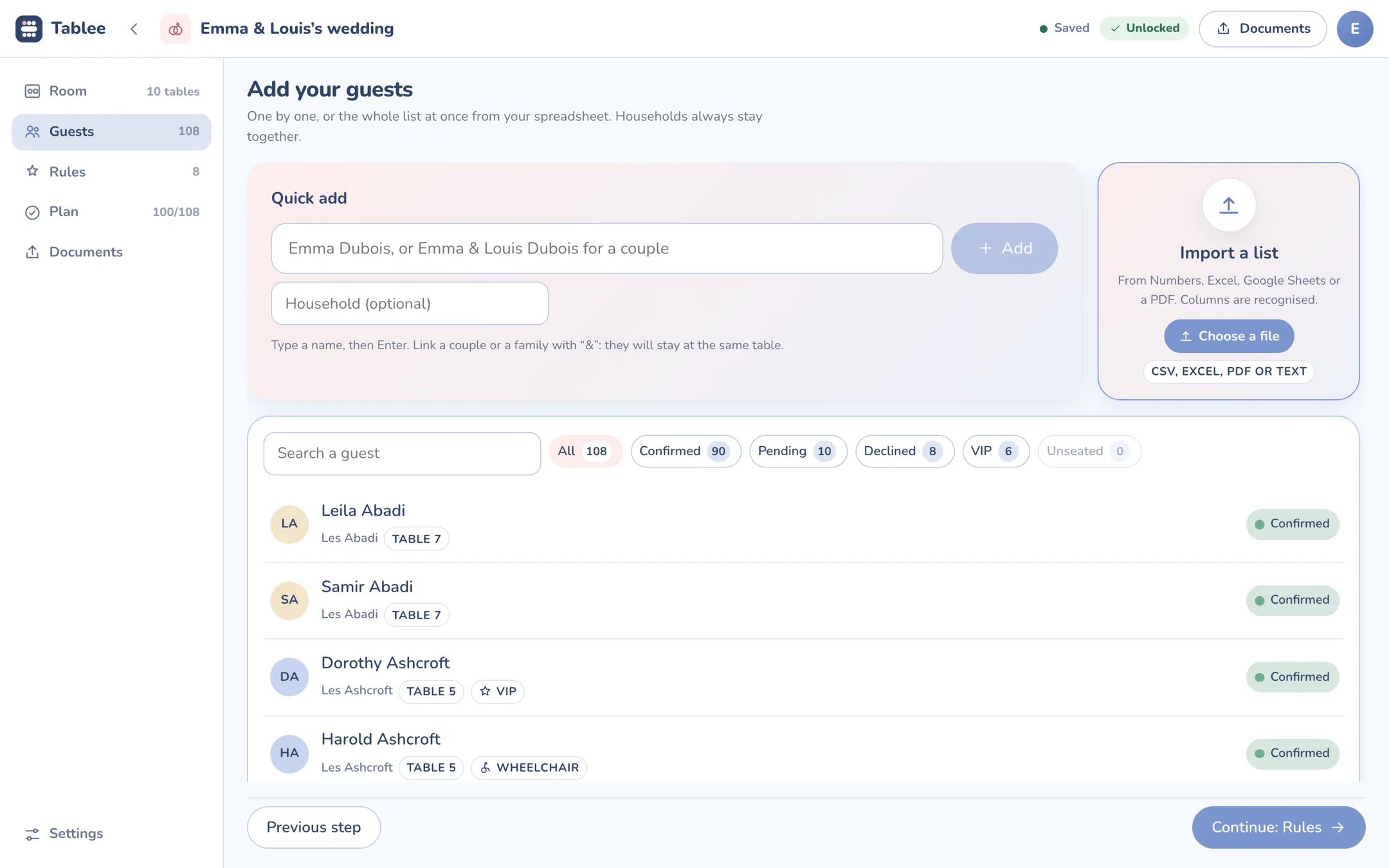
Tablee Guests screen: the list of 108 guests with their household, table and RSVP
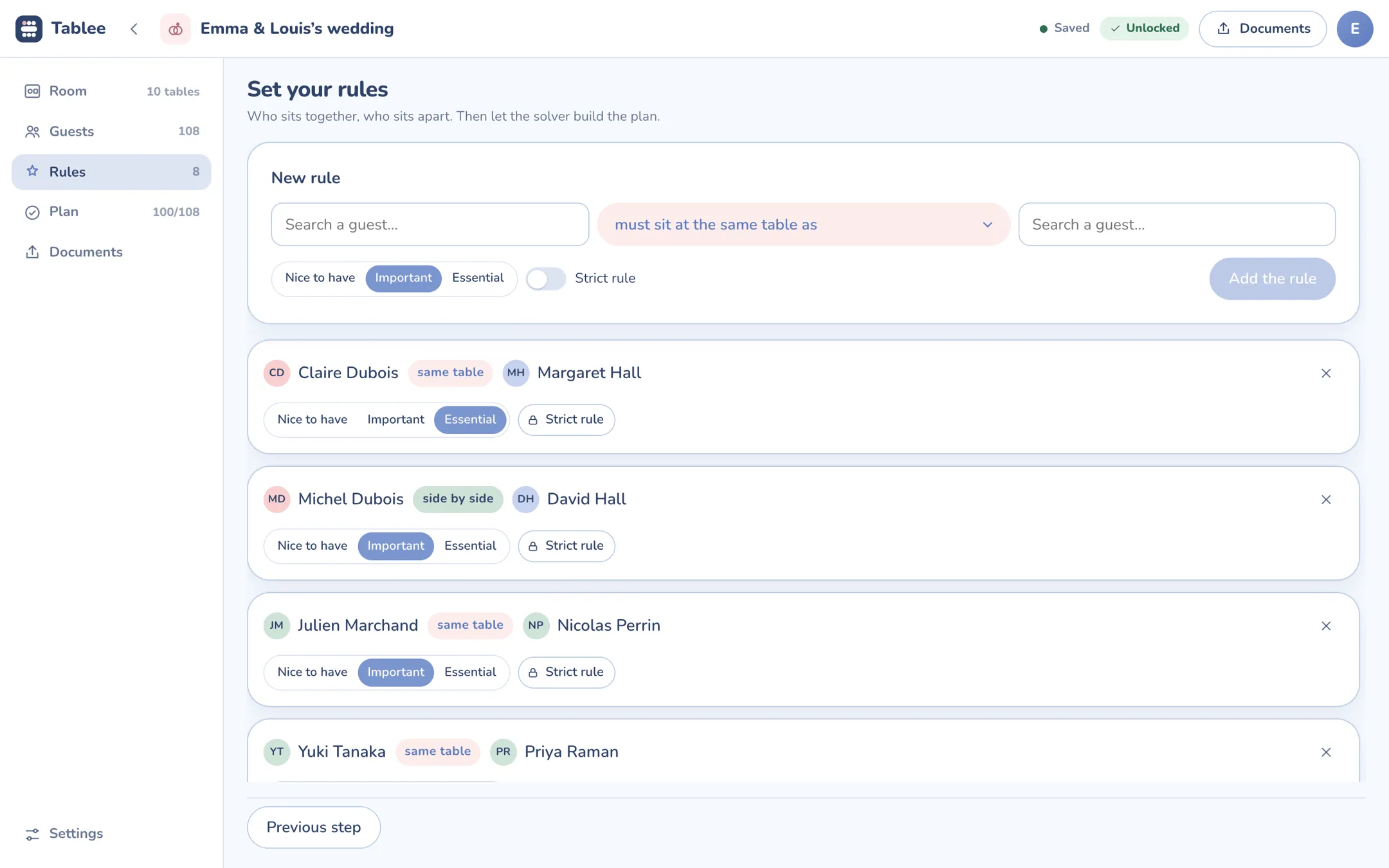
Tablee Rules screen: “same table” and “side by side” rules with their weight
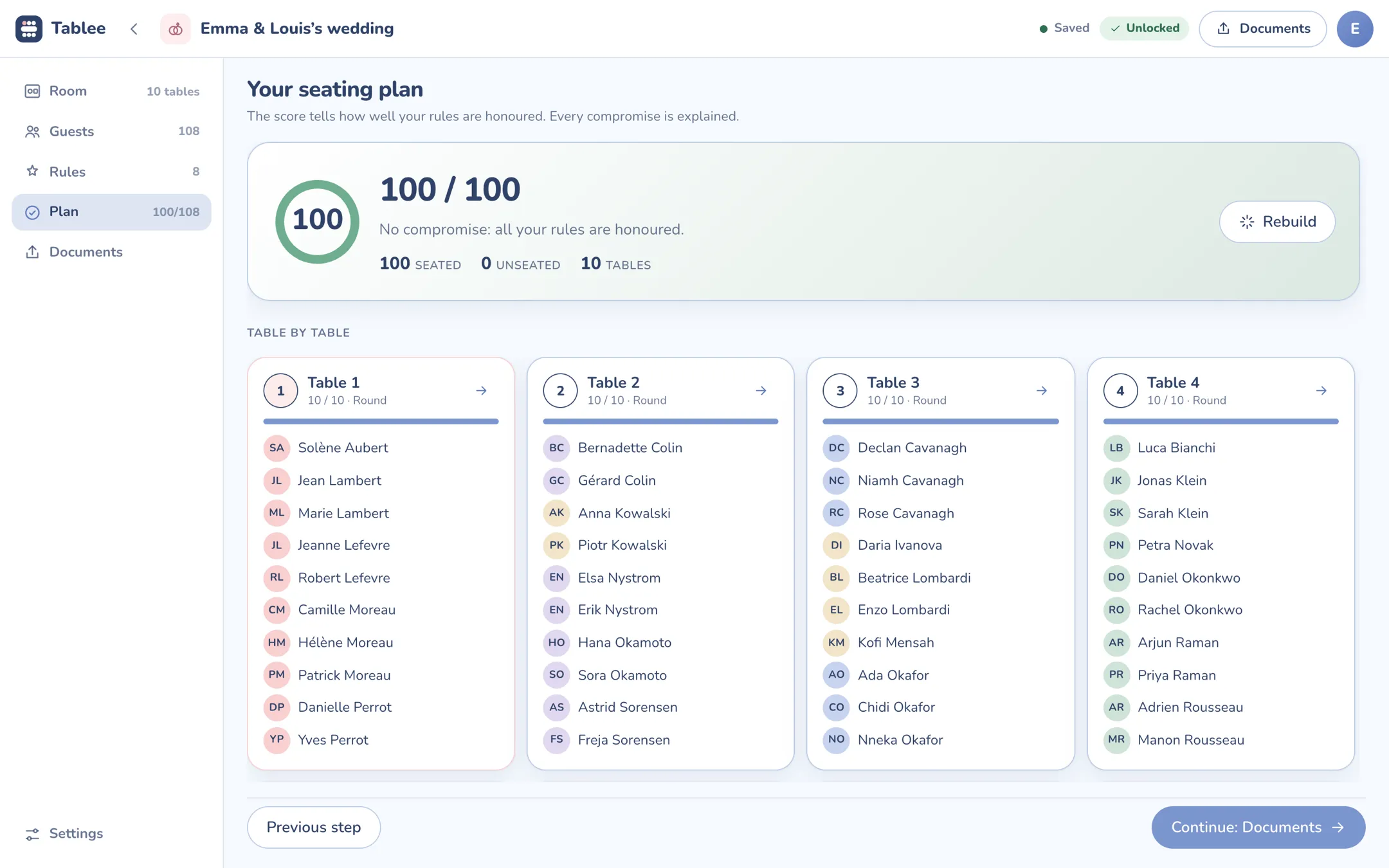
Tablee Plan screen: a score of 100 out of 100 and guests laid out table by table
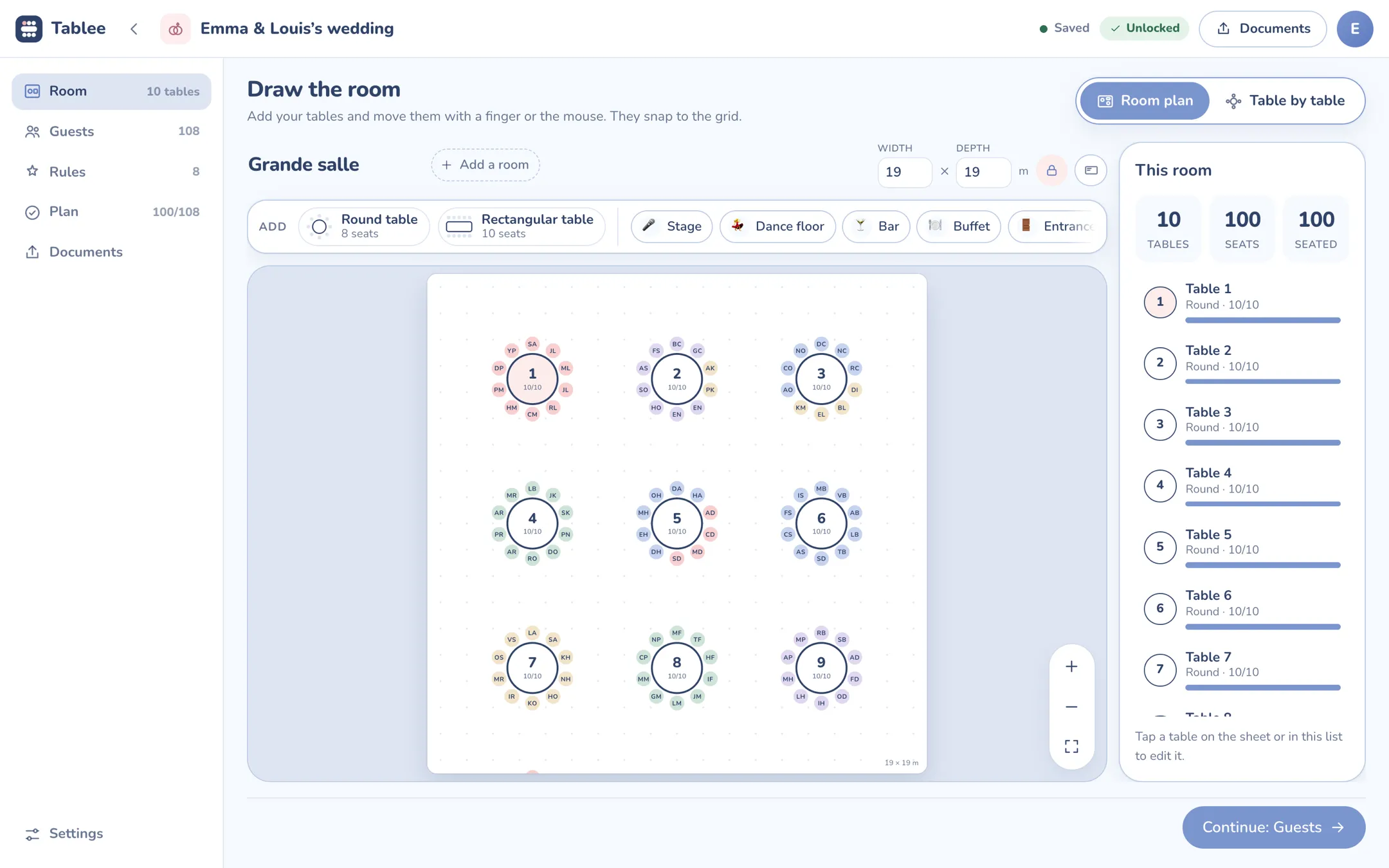
Tablee room plan: ten round tables to scale, each guest shown by their initials
1 108 guests, pasted from a spreadsheet2 Eight rules: who together, who apart3 The plan, built: 100 out of 100, no compromise4 The room to scale, every guest in place

The demo wedding, solved by the same engine as the iPhone and iPad app

  • 108guests
  • 8rules set
  • 100/100no compromise
  • 4documents to print

What changes

You describe your wedding, Tablee does the seating

A drawing tool lets you move labels around. Tablee finds the arrangement, and tells you why.

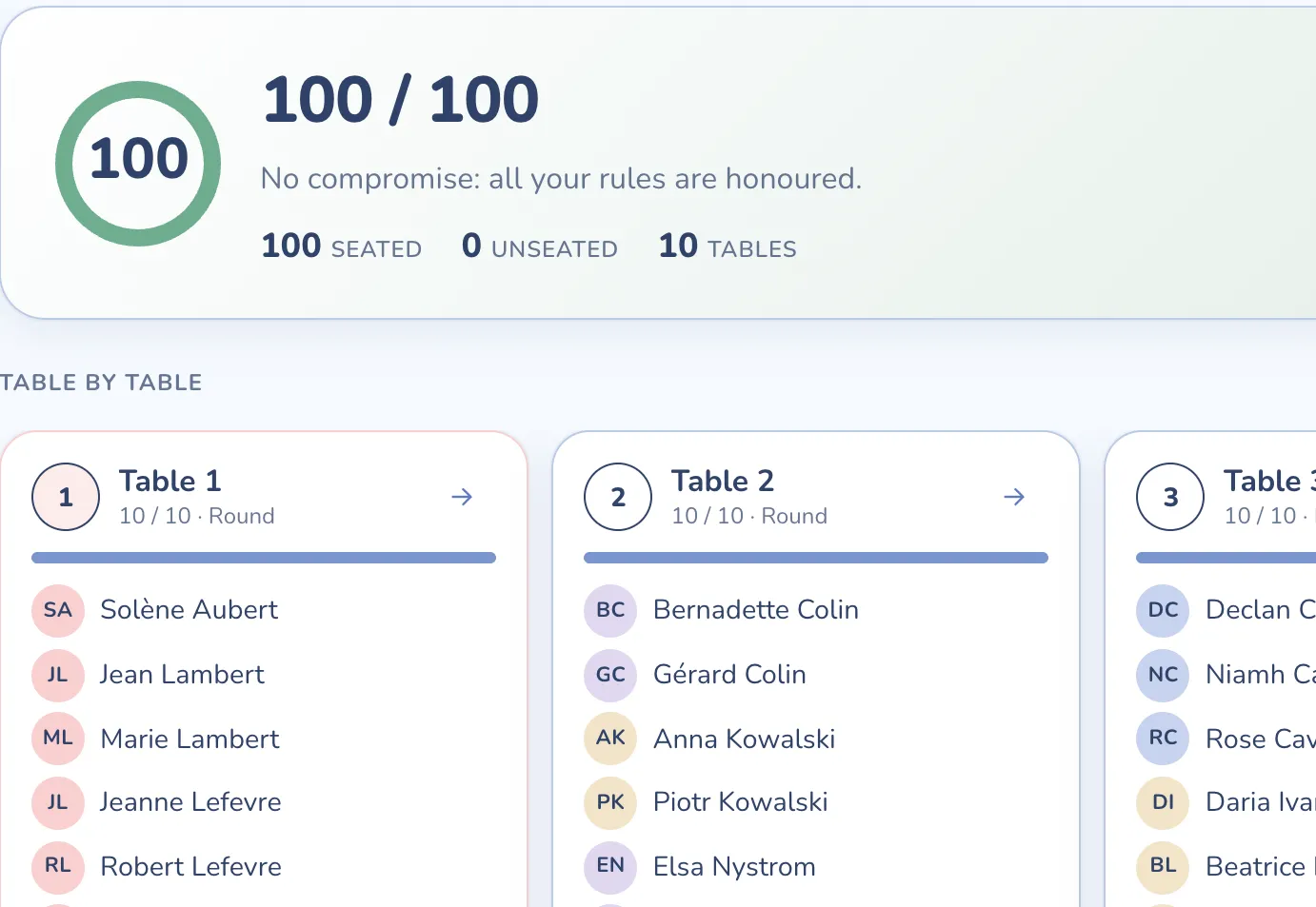
The seating plan score: 100 out of 100, no compromise

It does the seating for you

The engine searches for the arrangement that honours your rules best, in a few seconds. When two rules clash, it tells you which one it gave up, and why.
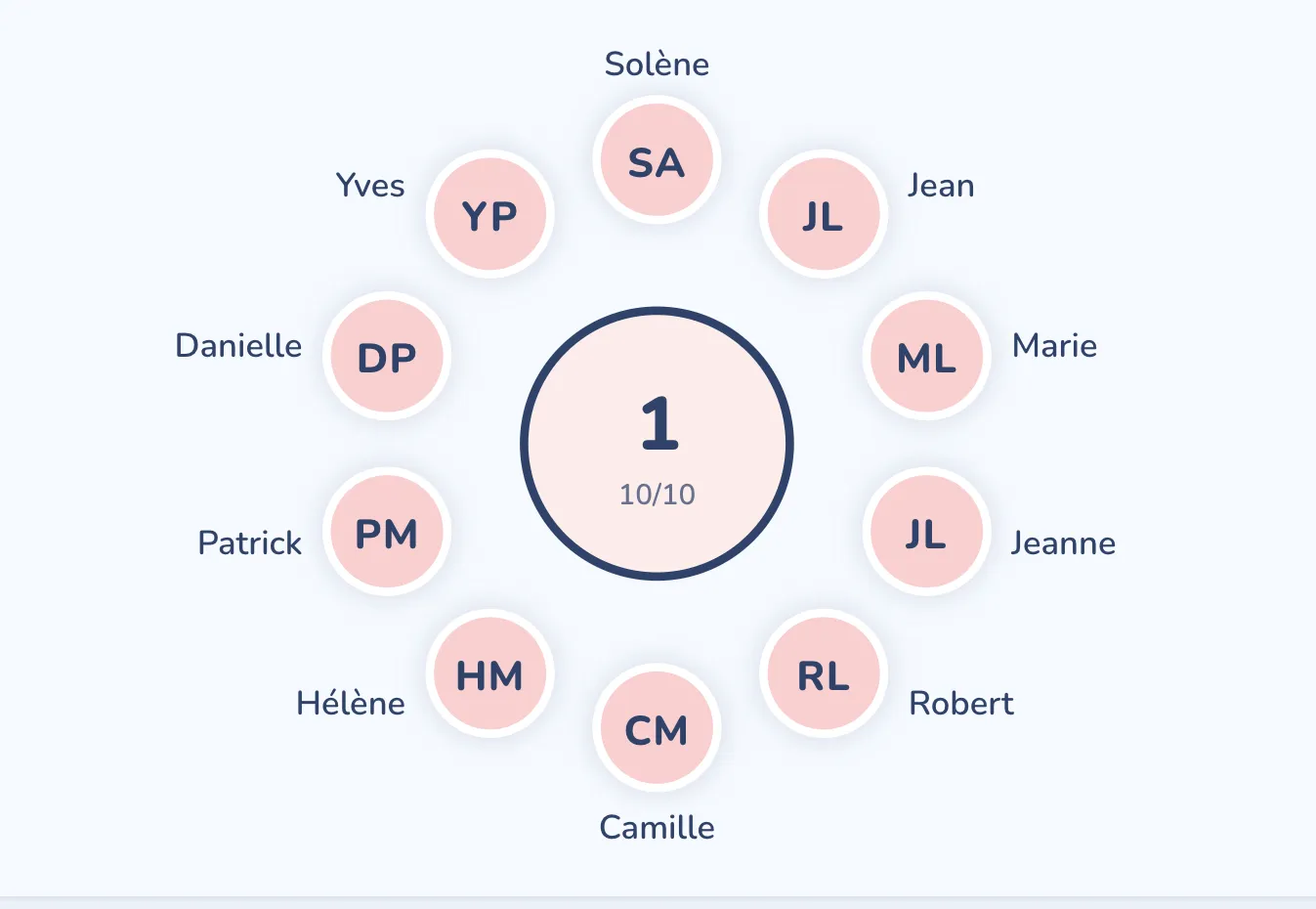
A round table close up, each chair carrying a first name

Every guest on an exact chair

Not just a table: a seat. Drag someone onto another chair, the two swap, and your choice is pinned for good.
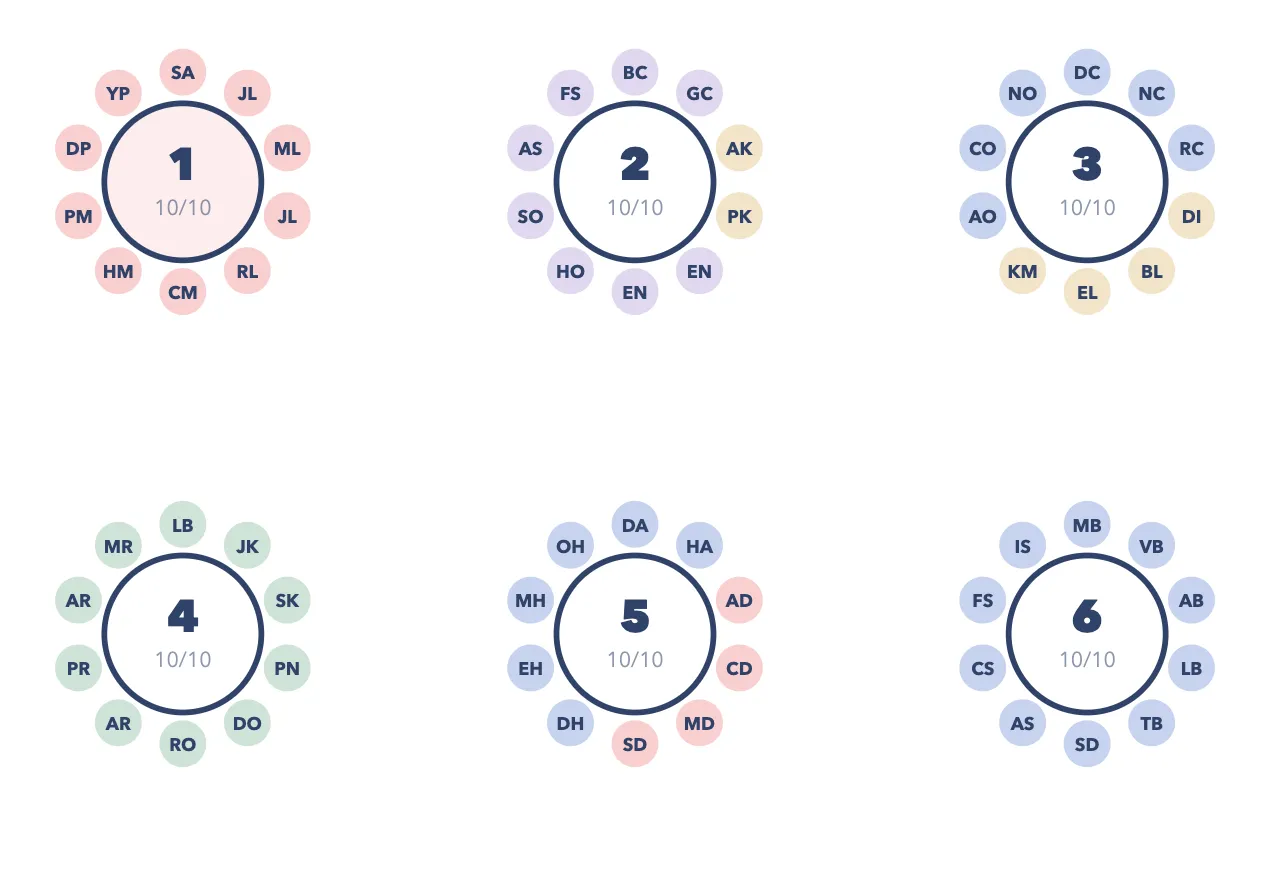
The A3 room plan preview, ready to print

Wedding day, ready to print

A3 room plan to scale, alphabetical list, entrance poster and the caterer’s service sheet, in one click, as PDFs.
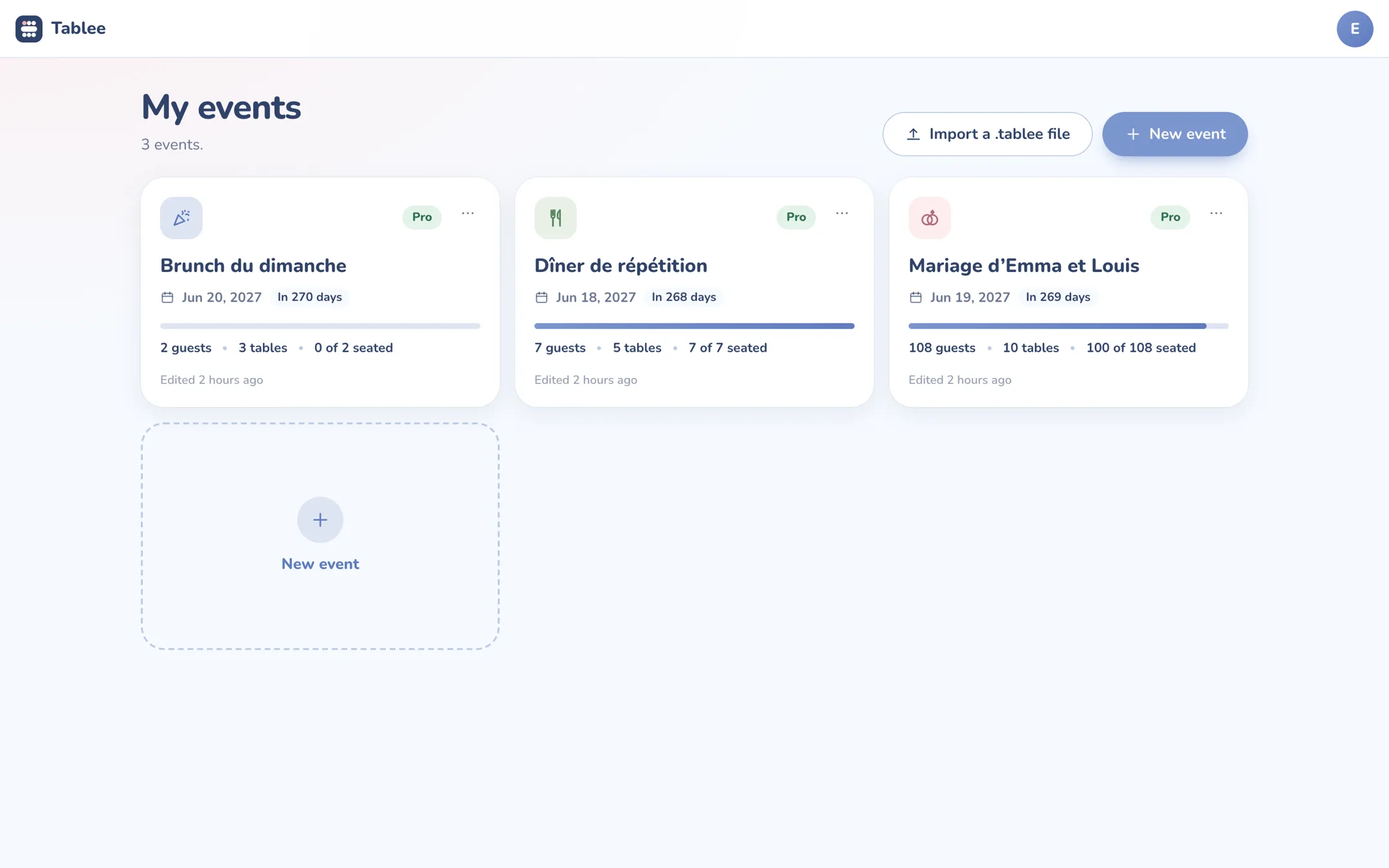
The Tablee Pro dashboard: three events with their date, countdown and progress

How it works

Four steps, and the plan is ready

Nothing to install. Everything happens in the browser, and everything is saved as you go.

  1. 1

    Create your account

    An email address and a password, or just a link sent by email. A code confirms your address, and that is it.

  2. 2

    Draw the room

    Round, rectangular and U-shaped tables, the dance floor, the stage and the buffet, to scale, on a landscape A4 sheet.

  3. 3

    Add guests and rules

    Paste your list from a spreadsheet, or import a CSV, an Excel file or a PDF. Then say who must sit together, and who must not.

  4. 4

    Build and print

    The plan comes with its score and the reason for every trade-off. Your four documents are ready.

Get started now

Everything you need to plan a wedding together

The details that matter when the list is still changing ten days before.

  • A cancellation breaks nothing

    Remove a guest and rebuild: the plan moves as few people as possible.

  • Saved as you go

    Every change saves itself. Open your plan from another computer, and it is waiting.

  • Your list in one paste

    Spreadsheet, CSV, Excel or PDF: name, household, meal, allergens and RSVP are recognised.

  • Households and groups

    Couples and families stay together; a group can be gathered, spread out or balanced.

  • Several rooms

    Drinks in the garden, dinner in the barn: each room has its plan to scale.

  • A file to keep

    The whole event as a .tablee file, to keep or import again later.

Trust

Your guests are in good hands

A wedding list says a lot about people. Here is what we do with it, and what we do not.

  • Secure payment by Creem

    Merchant of record: it collects payment, issues the invoice and handles refunds. We never see your card.

  • Hosted in Europe

    Your plans live on our servers in Western Europe. They are neither sold nor exploited.

  • Your data is yours

    Download everything as a file, delete an event or your account in one click, from the app.

  • No subscription

    One payment per event, once, and only if it goes beyond five tables.

Free to try, €9.99 for a wedding

For a wedding, no subscription: you pay for the event, once, when it goes beyond five tables. To run several, there is Tablee Pro.

Free

€0

The full editor and the full seating engine, with no time limit.

  • One event
  • Up to 5 tables
  • Documents carry the “Made with Tablee” mention
Create my free account
For a wedding

This event

€9.99 one-time payment

Unlocks your event, for good. One seating chart, paid once.

  • One event, up to 200 tables
  • All four documents without the mention
  • .tablee file with its unlock
Unlock for €9.99
Several events

Tablee Pro

€84.99 a year

For caterers, venues and wedding planners who run one event after another.

  • Unlimited events
  • Unlimited tables
  • Documents without the mention, everywhere
  • Cancel anytime from your account
Go Pro
  1. Create your account and your first event: it is free.
  2. Beyond five tables, click “Unlock for €9.99” in the event. For a second event, choose “Go Pro”. If you pick your plan here, payment opens right after your account is created.
  3. You pay on Creem’s secure page, and the event or your account unlocks as soon as you are back.

Prices include tax. The sale is made with Creem, merchant of record, which collects payment and issues the invoice. Tablee Pro renews every year until cancelled, and runs until the end of the period once cancelled. The web app and the iPhone app are two separate purchases.

Frequently asked questions

About the web app, the account and your data.

Why do I need an account?

So your plans follow you. They are saved to your account, and you reopen them from any computer. Signing up takes an email address and a password, or just a link sent by email. The iPhone app works without an account.

What if I run several events?

The free plan and the one-off €9.99 payment cover a single event, one seating chart. To run several, Tablee Pro opens unlimited events and tables, for €84.99 a year. You cancel it from your account, and it runs until the end of the paid year.

Where does my data go?

To our servers, in Western Europe, to give it back to you on every computer. We do not sell it and do nothing else with it. Allergens and reduced mobility are only there if you enter them. You can delete an event or your whole account at any time, from the app.

Does buying in the web app unlock the iPhone app?

Not yet: they are two separate purchases, in both directions. We are working on linking them. Your plans do travel: a .tablee file can be imported from your events.

I had paid for an event on the old builder

Your purchase is kept. Sign in to the app with the email address you gave for the invoice. If you had downloaded the .tablee file, import it from your events: the unlock comes with it. Otherwise, write to us at [email protected].

Which devices does the web app run on?

Any recent browser: Safari, Chrome, Firefox or Edge, on Mac, PC, tablet or phone. It is most comfortable on a large screen, to draw the room.

Your seating chart can be ready tonight

Free up to five tables, no credit card. You will see the price before you need it.

Free up to 5 tables Create my account