How to make a wedding seating chart: the 6-step method, in the right order
A 6-step method in the order that avoids redoing everything: count households, pick tables, set rules, settle clashes, seat, check. Worked on a 108-guest wedding.
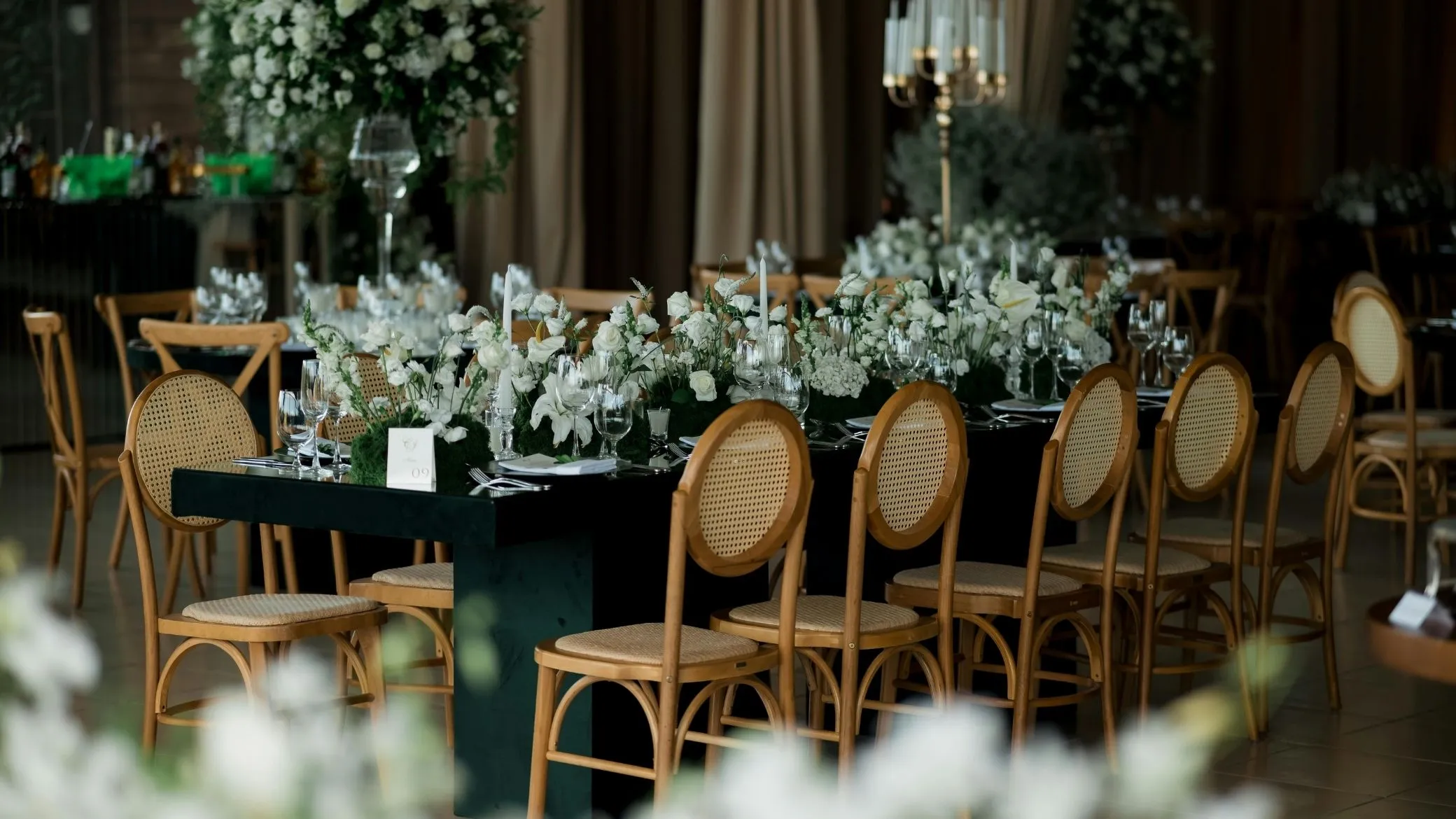
Making a wedding seating chart is not about filling chairs: it is about deciding who loses when two wishes clash. Here is the method in six steps, in the order that keeps you from redoing everything at table 6, applied from start to finish to a wedding with 108 guests on the list. It works on paper; Tablee, our product, is there to run the numbers when your hands are not enough.
- Count the units Remove the declines, group the households, set the tables and their real capacity.
- Pick the tables Round, rectangular or U-shaped: the shape changes what can be combined.
- Set the rules Same table, different tables, side by side, with a weight and a strict option.
- Settle the clashes Decide who gives way when two rules contradict each other, before you seat anyone.
- Seat Place the most constrained guests first, in three passes.
- Check Run the chart through a six-point list, then adjust without starting over.
Start with what cannot move, not with the head table
The instinct is to begin with the head table, then fill the tables one after another. It is the shortest road to a full redo: at table 6 you find that the couple you put at table 2 should have been here, and everything shifts. This method reverses the order. You fix what cannot change first, and what is left to decide gets much smaller.
You can measure the difference. Our example wedding has 108 guests on the list, 8 of whom declined: 100 are left to seat, at 10 tables of 10 seats. Guest by guest, that is a problem no amount of patience solves. In households, it is 45 units to place at 10 tables.
Remove the declines, then count households, not people
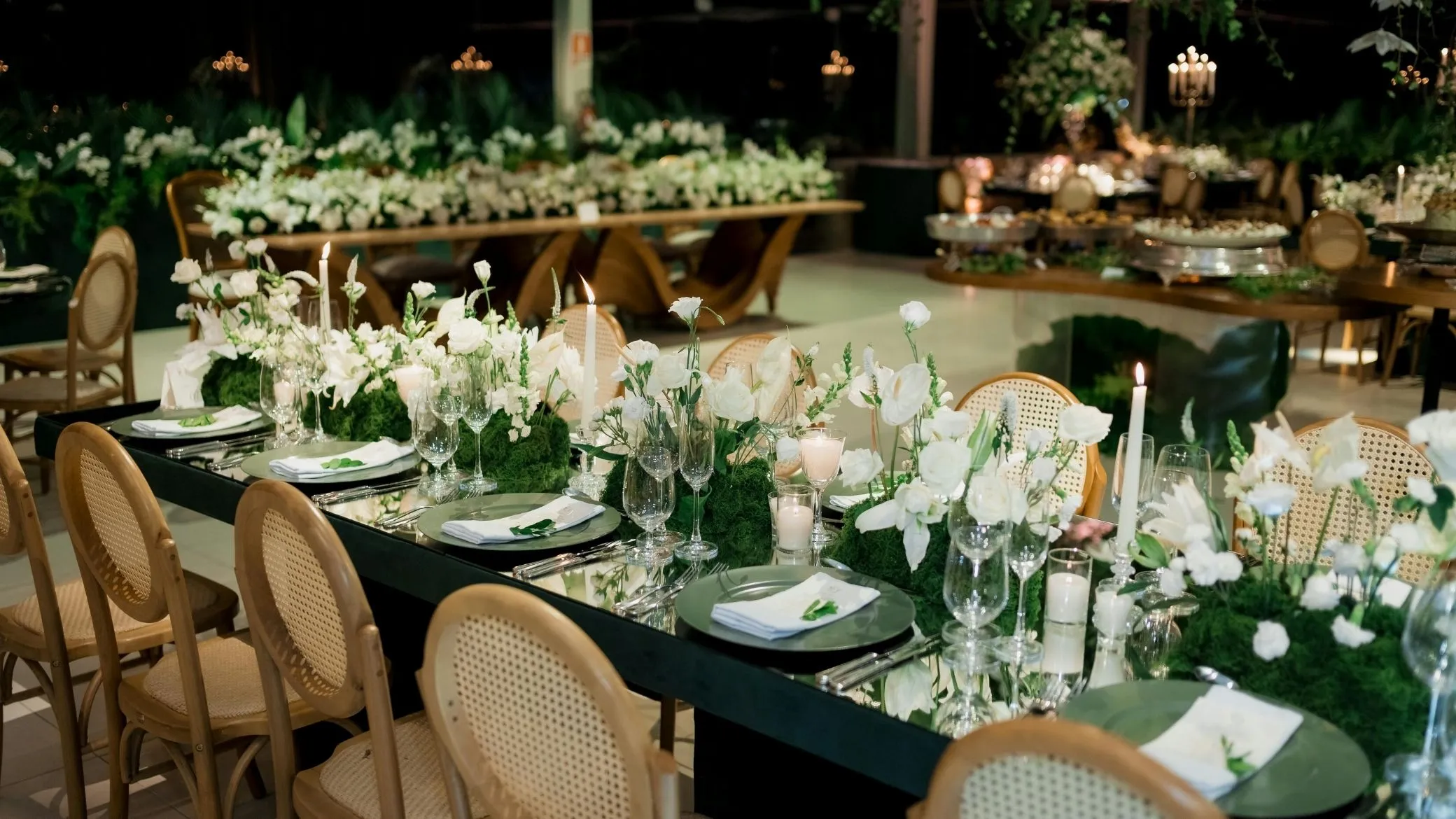
A household is a couple, or parents and their children: people who do not get split up. Splitting them to fill a gap is not done, so you never seat a person, you seat a unit. Remove the guests who declined first, or you will be seating ghosts: in our example, three households declined entirely and one in part. The 10 guests who have not replied yet stay in the chart, with a seat held for them.
| Household size | Households | Guests |
|---|---|---|
| 2 guests | 27 | 54 |
| 3 guests | 8 | 24 |
| 4 guests | 4 | 16 |
| Single guests | 6 | 6 |
| Total to seat | 45 units | 100 |
Set the number of tables and their real capacity
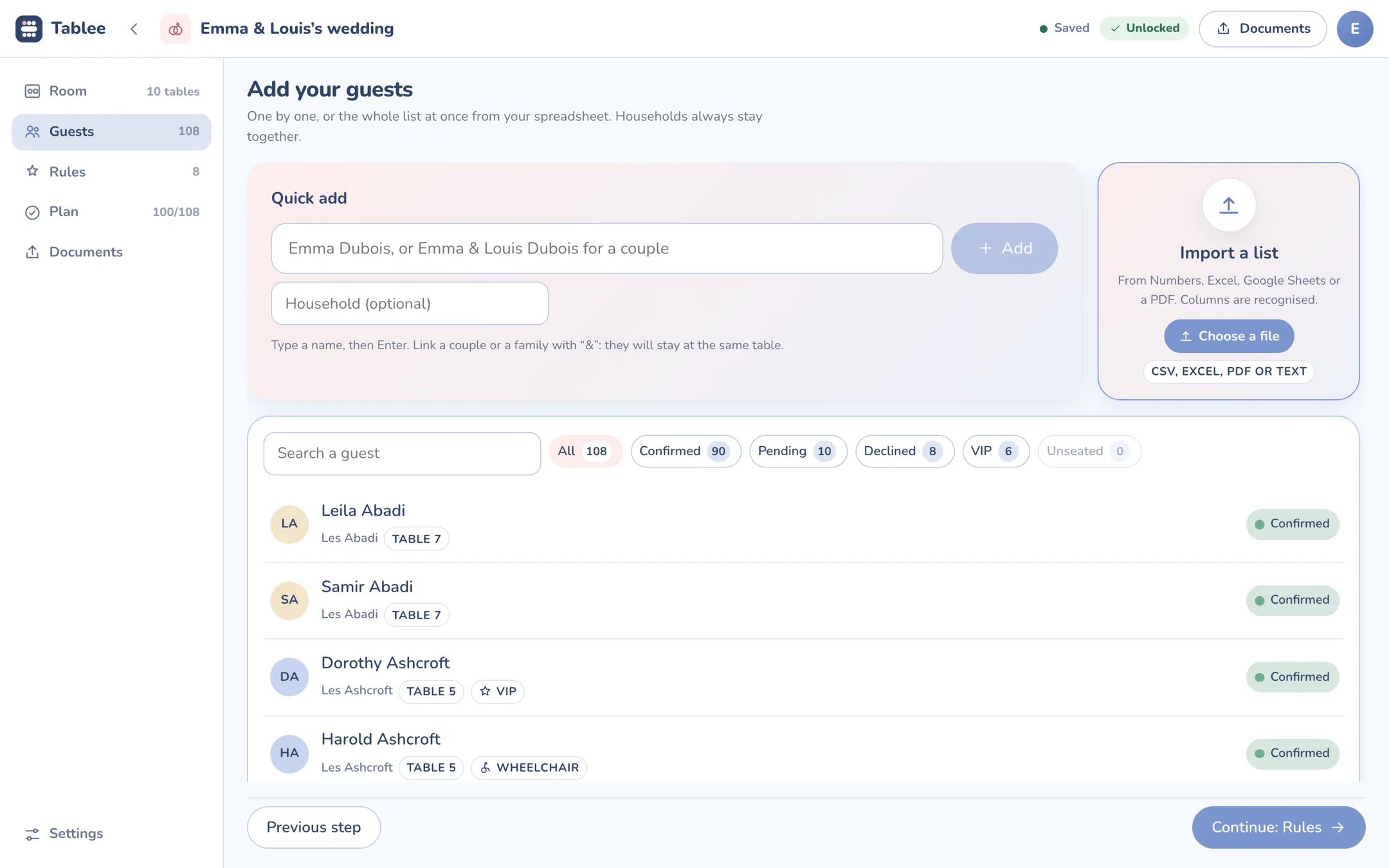
Ask the venue or the caterer how many seats really fit at each table: the catalog number is often the maximum, not the comfortable count. Our example has 10 round tables of 10 seats, so 100 seats for 100 guests. Not one spare chair; in practice, keep one or two seats free overall for last-minute additions.
Also check that no household is larger than the largest table. A household of five does not fit at a table of four, and it is better to find that out now.
Write down the impossible pairs first
Before thinking about who sits with whom, list the pairs who must never share a table: a falling out, a divorce, a family feud. One line, two names, no commentary. Those will be your strict rules. There are few of them: our example has two. Family situations (divorced parents, blended families, a guest’s ex) have their own guide: who sits where, case by case.
Pick the table shape: round, rectangular or U-shaped
The shape decides what can be combined. With tables of 8, two households of four already fill a table, leaving little room to mix. With tables of 10, households of 2, 3 and 4 fit together much more easily. These are common rules of thumb, to confirm with your venue.
| Shape | Comfort guide | What it gives you | Its catch |
|---|---|---|---|
| Round, 60 in | 8 guests | Everyone sees and hears everyone | Two households of four fill it |
| Round, 72 in | 10 guests | The most flexible for mixing households of 2, 3 and 4 | You mostly talk to your two neighbors |
| Rectangular, 8 ft | 8 to 10 guests | Lines up easily along the walls | The ends of the table feel cut off |
| U-shape or horseshoe | Depends on the room | Every guest can see the couple | Needs a big room, leaves little flexibility |
| Head table | 6 to 12 guests | Puts the couple in view | Decide it after your rules, not before |
Set the rules: together, apart, side by side
A rule is a sentence with two names. Three forms say almost everything.
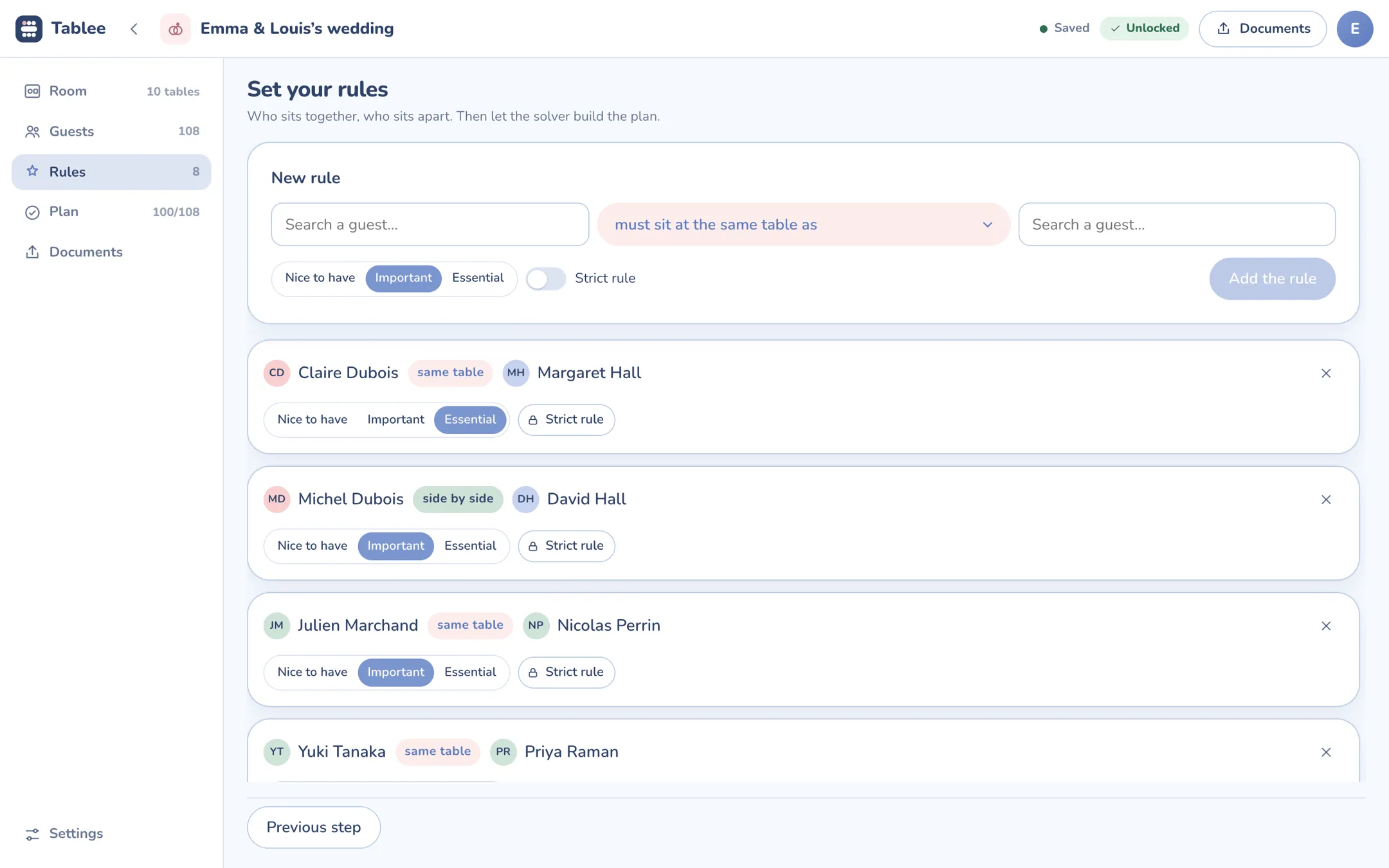
- Same table: “Claire must sit at the same table as Margaret.”
- Different tables: “these two must not cross paths.”
- Side by side: “Michel must sit next to David”, mostly for guests who need help or a loved one beside them.
Three weights, plus a strict rule
Not all rules are equal. Give each one a weight: nice to have (it would be good), important (you care about it), essential (the wedding depends on it). Three levels are enough: with more, you will spend the evening choosing between a 7 and an 8. Keep the strict rule apart: it never gives way, “these two guests never share a table”, period.
Few rules, well chosen
Every essential or strict rule rules out possible charts. Too many hard rules and none is left. Our example has 8 for 100 guests, roughly one rule per twelve guests.
- Essential rule: Claire Dubois at the same table as Margaret Hall.
- Essential rule: Dorothy and Harold Ashcroft side by side.
- Important rule: Michel Dubois side by side with David Hall.
- Important rule: Julien Marchand at the same table as Nicolas Perrin.
- Important rule: Isabelle Roy at the same table as Valérie Simon.
- Nice-to-have rule: Yuki Tanaka at the same table as Priya Raman.
- Strict rule: Robert Lefevre never at the table of Malcolm Blackwood.
- Strict rule: Vera Blackwood never at the table of Odile Vasseur.
The names are made up. Four rules out of eight are hard or essential; the other four can give way if the chart requires it.
When two rules clash, someone loses: decide who before you seat anyone
This is the moment people put off, and it is what makes charts get redone. “Politely keep the people who don’t get along apart” is good advice, until the person who doesn’t get along with someone is also the one who has to sit with your cousin.
The impossible triangle
Take three guests. A must be with B, because they are inseparable. B must be with C, because C is B’s spouse. But A and C must never share a table. The three rules cannot all be true at once.
There are only three ways out: give up A and B, give up B and C, or accept A and C at the same table. None is neutral. Better to choose with your eyes open than to let the luck of the filling order choose for you.
Settle it without hurting anyone
Always apply the same order: the strict rule never gives way, then the essential one, then the important one, then the nice-to-have one. At equal weight, give up the one whose loss shows the least, for example two friends at neighboring tables rather than a silent table.
When an essential rule has to give way, make a phone call before you decide. People understand when it is explained to them, never when they discover it on the easel.
Write down the compromise and the reason
Note it in one line: “Table 5: kept apart from B because table 3 was full.” In three weeks, when someone asks why, you will have the answer. Tablee does this by default: it shows every compromise with its reason and the table concerned. Before it computes anything, it also checks that there are enough seats, that no household is larger than the largest table and that two strict rules do not contradict each other.
Seat the tables: the most constrained first, in three passes
The principle fits in a sentence: the more rules a guest has, the fewer choices they have, so the sooner you seat them. It is the basic heuristic for constraint problems, and a good planner applies it without knowing it. Tablee works the same way: it places the units carrying a strict rule first, then those with the most rules, then the largest, before improving the chart through thousands of swaps.
Pass 1: the anchors
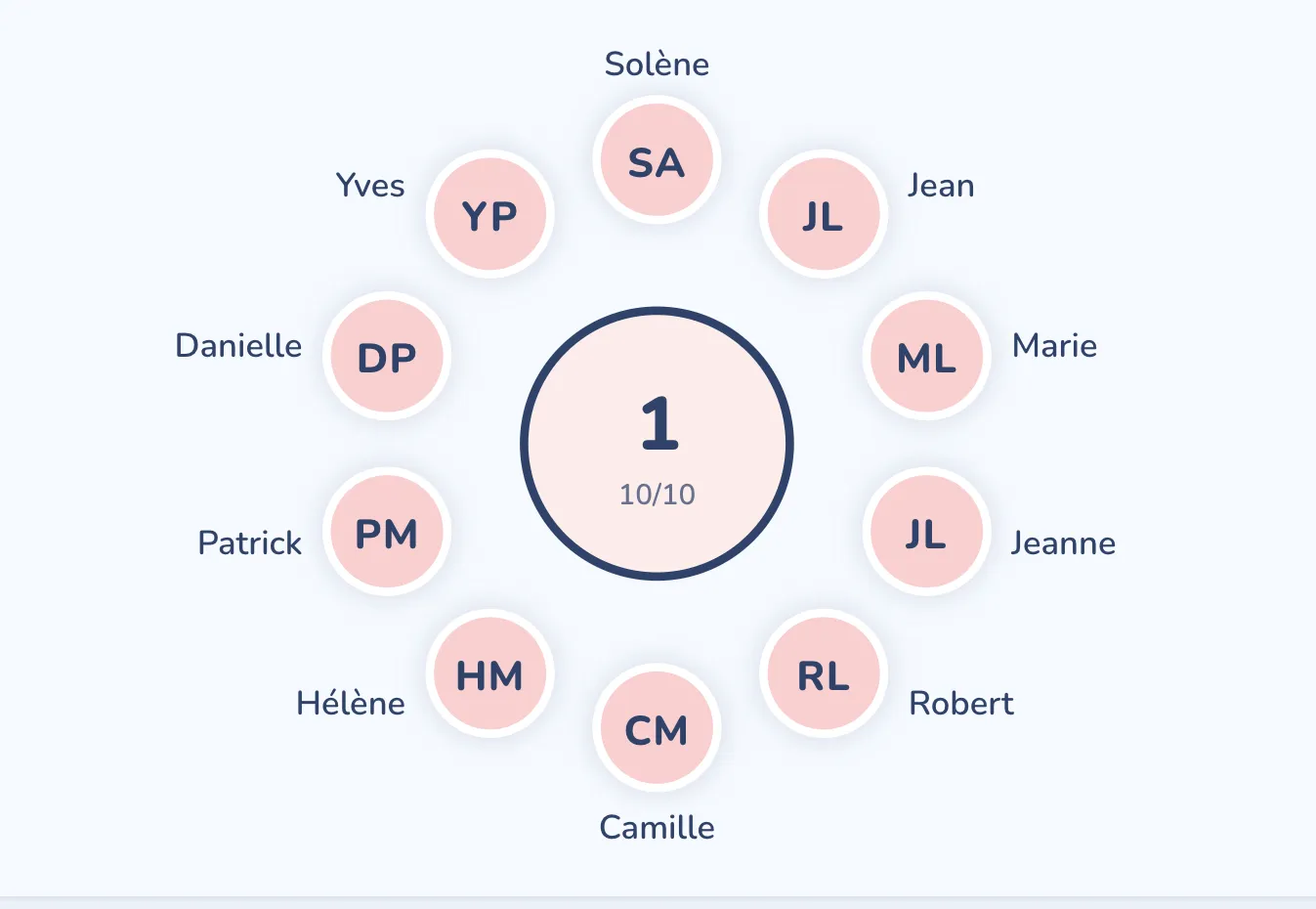
First place the units that carry a strict or an essential rule: they have almost no room to maneuver. The head table comes in here, not before, because the people at it are anchors like any others. In our example it is table 1. To decide who sits there, see the seating etiquette guide.
Pass 2: the groups
Then fill one table at a time with one group, starting with the biggest. Our example has five groups: the bride’s family, the groom’s family, friends, colleagues and neighbors. A group of 12 does not fit a table of 10: decide now where the remaining two go.
Pass 3: single guests and children
What is left is the units with no ties: 6 single guests, and 17 children to seat in our example. A single guest goes with at least someone they know, or with a group that resembles them in age or interests. Never as a filler at the last table.
Swap rather than move
When a rule is not met, resist the urge to move someone to a table that has room: you open a hole somewhere else. Swap two units of the same size between two tables instead. Headcounts do not change, and you only break what you can see.
Check the chart: the six-point list
A chart that looks good is not a checked chart. Run it through six checks, one per line. If one fails, go back to the pass concerned.
- Everyone is seated once. The number of occupied seats equals the number of guests to seat, and nobody appears twice.
- No table overflows. Every table respects its real capacity.
- All strict rules are respected, without exception.
- Essential rules are respected, or the compromise is written down with its reason.
- Nobody is isolated. Everyone knows at least one person at their table.
- Special needs are recorded. Dietary restrictions, allergies and reduced mobility go to the caterer, and the table of a guest in a wheelchair is easy to reach.
From draft to final chart: the timeline
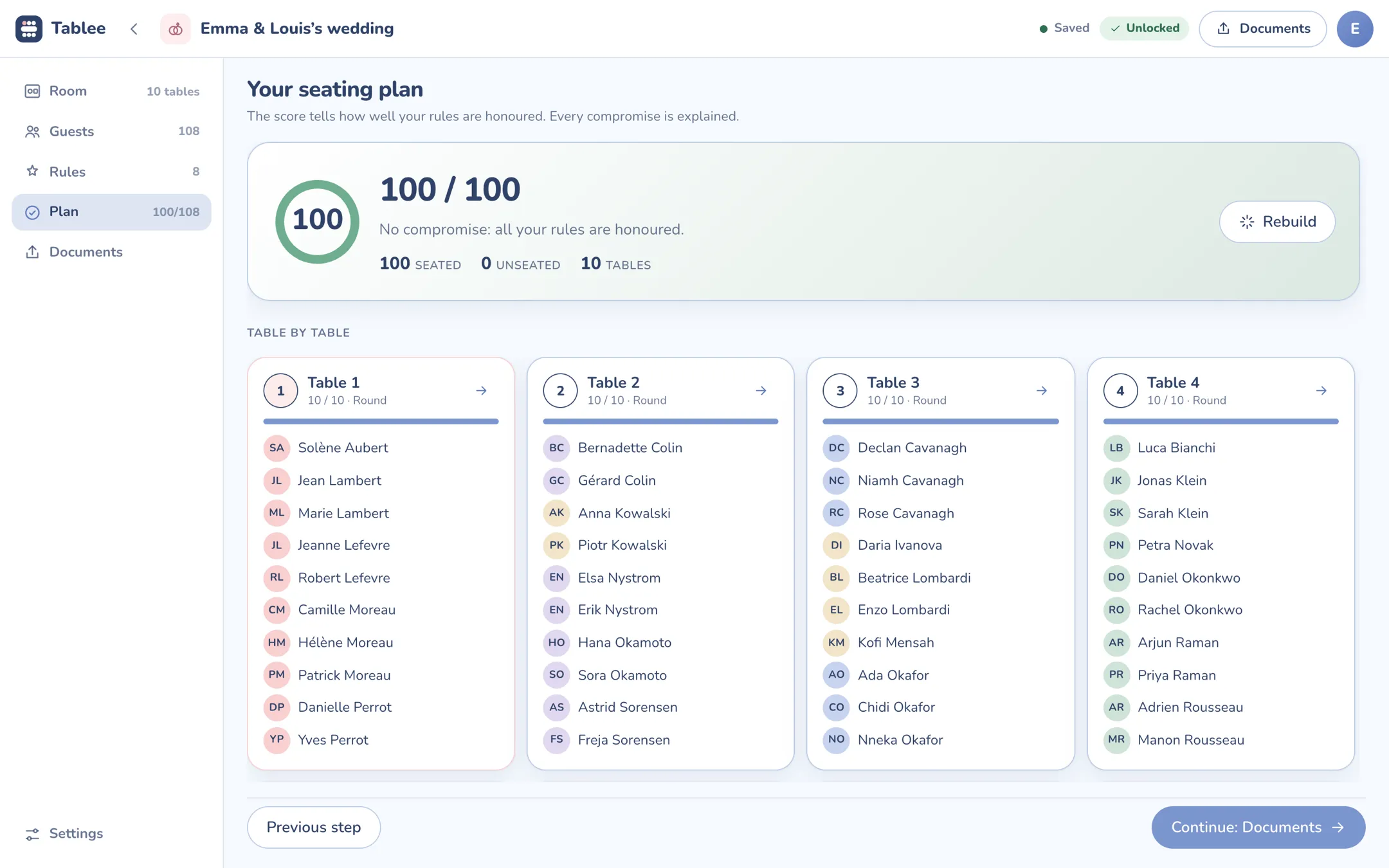
Start the chart as soon as the first replies arrive, and freeze it by the date your caterer needs the final headcount. You will often read a draft about a month out and a final chart no later than a week before: take that as a guide. The real deadline is your caterer’s, who needs the guest count and the meal choices by a fixed date. Ask for that date when you sign.
- As soon as the first replies arrive: enter the list and the households, set the rules, build a first chart.
- When replies close: remove the declines, chase the guests still pending, recompute.
- At the caterer’s final headcount: freeze the chart, record meals and allergies.
- The last week: print the room plan and prepare the place cards, only touch the chart for a cancellation.
A cancellation three days out: adjust without starting over
The golden rule: replace or swap, never start over. Three cases come up.
- One member of a household cancels. The household goes from 3 guests to 2 and a seat opens up. It can take an extra guest, or stay empty.
- A whole household cancels. Two to four seats open at the same table. Check that the table still has enough guests who know each other.
- An extra guest. Look for a table with a free seat where they know someone, without touching anyone else’s rules.
In Tablee, you remove the guest and rebuild: the engine moves as few people as possible, and the guests you pinned stay where they are.
Paper or tool: where your hands stop being enough
Below five tables and with nobody to keep apart, paper and a pencil are enough. Beyond a hundred guests with complicated families, step 6, the check, gets painful: verifying eight rules across a hundred people every time something changes is more than anyone does in their head. A spreadsheet helps with the list, not with the rules or the room. If you are weighing several tools, you can compare the wedding seating chart makers before you choose.
You set the rules, Tablee does the rest: 9.99 € for the whole wedding
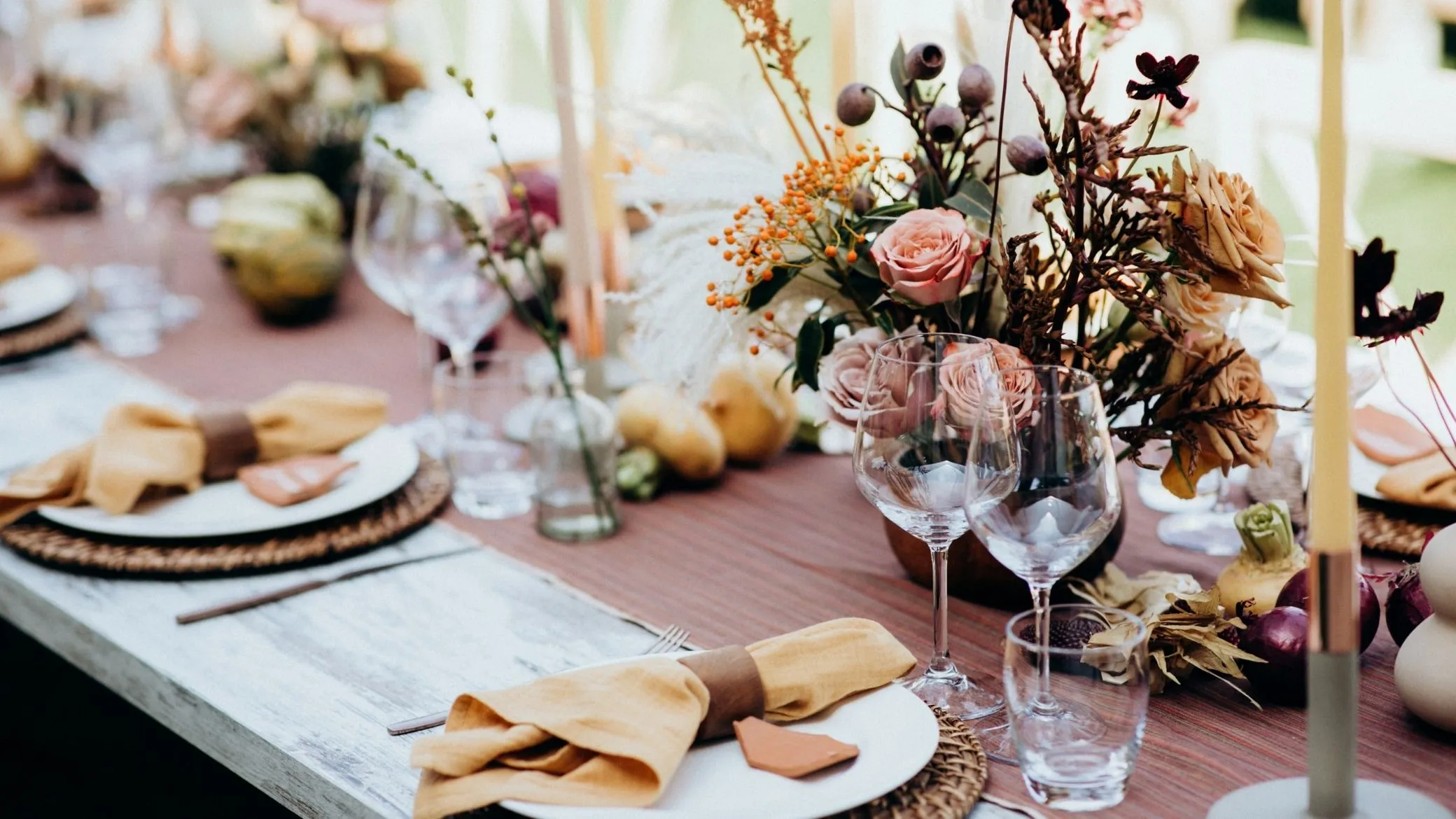
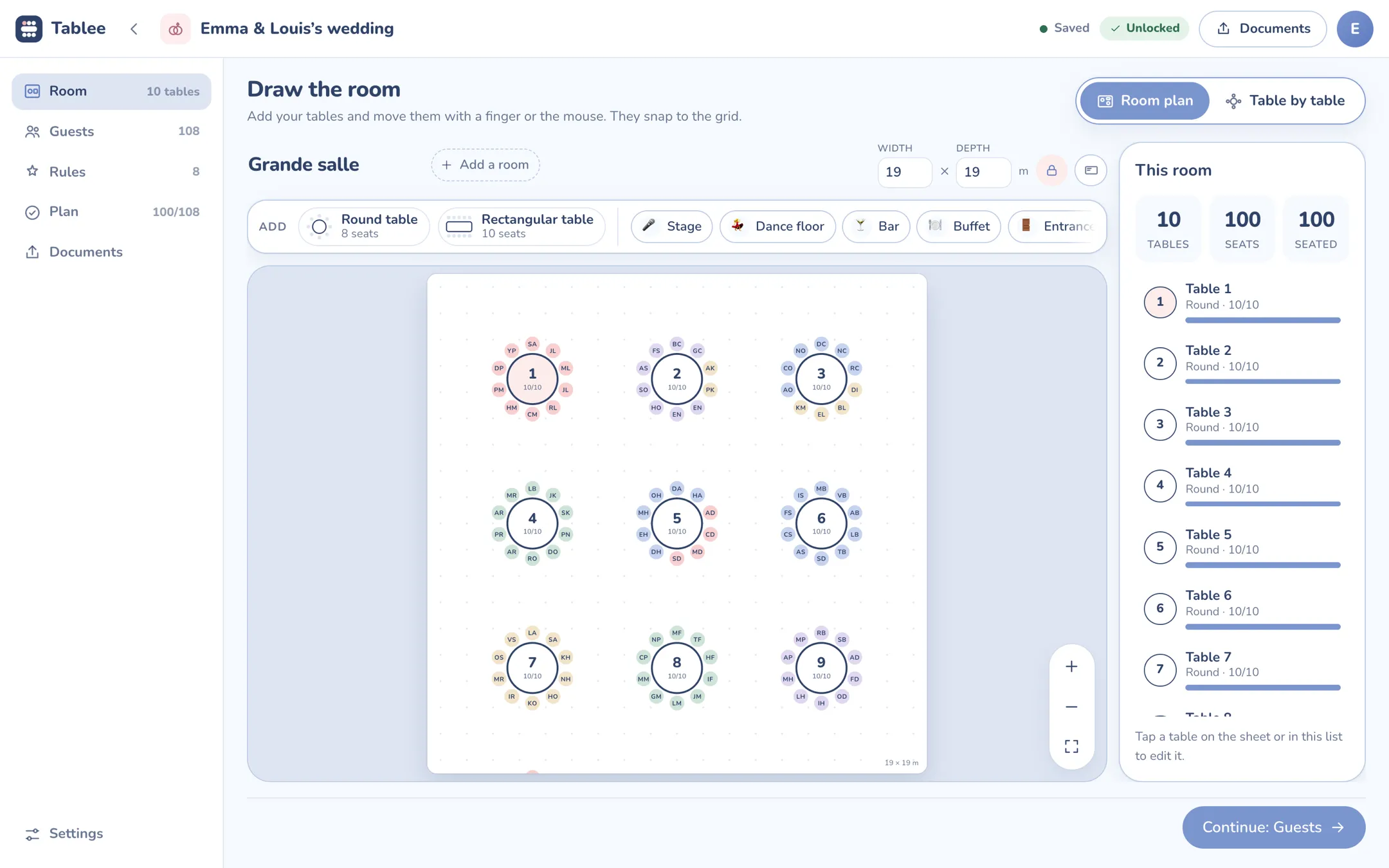
Steps 1 to 3 are yours: you know your guests. Steps 4 to 6 are computation, and that is what Tablee does for you. Here is the example wedding from the guest list to the 100/100 chart.
- It imports your list from Excel, Numbers, Google Sheets, a CSV or a PDF, and keeps households together.
- It settles clashes by your weights. A strict rule is never broken, an essential rule beats an important one, and every compromise is explained with its reason.
- It builds the chart and scores it. A score out of 100, the list of compromises, and the chart table by table.
- It recomputes after a cancellation, moving as few people as possible and leaving pinned guests alone.
- It prepares the day: four PDFs, the caterer service sheet, the scaled room plan with one page per table, the alphabetical guest list and the “Find your table” entrance poster.
The price. Tablee is free up to 5 tables, with no time limit and no credit card, and the full seating engine; free documents carry a Tablee mention. 9.99 € once then unlocks the event up to 200 tables: a single payment for the whole wedding, no subscription. Tablee Pro, at 84.99 € a year, is for professionals who run event after event. With the same account, a purchase made in the browser also counts in the iPhone app, and the other way round.
You can build your seating chart online right now, or get the iPhone and iPad app if you would rather work on your phone, even offline.
What Tablee does not do
Honesty beats a sales pitch. Here are its limits:
- No 3D view.
- No online guest replies, and no invitation link: you arrive with your list already made.
- No editing by two people at once. If you want to seat guests together with a partner, each from home, other tools do better.